


This instruction will show you how to install the ambient light for BMW X3 G01/X4 G02.
Product link at 👉: BMW X3 G01 / X4 G02 ambient light

- Installation must be carried out by professionals. Do not install the system yourself if you are not trained, to avoid damage to the equipment or other accidents.
- Before installation, check that all vehicle functions operate normally and inspect the interior surfaces for scratches. Report any problems to the customer promptly.
- Before removing vehicle components, remove all metal items and other hard objects carried on your person to avoid damaging the seats and interior trim.
- Keep removed vehicle components in a safe place to avoid scratching the dashboard. Clear away wiring debris promptly; do not leave it inside the vehicle. Insulate all connections to prevent short circuits.
- Plan the wiring carefully. Installation space is limited, so minimize the space occupied and plan the controller connections in advance. Keep wiring clear of moving parts such as the steering shaft, accelerator pedal and brake pedal. Secure the harnesses after routing to prevent them from coming loose.
- Do not connect or disconnect wiring or accessories while the system is powered on. Hot-plugging can damage the controller or accessories.
Product Configuration
(Product might be different because we keep updating the product, the product accessories shall be subject to the actual item you purchased)
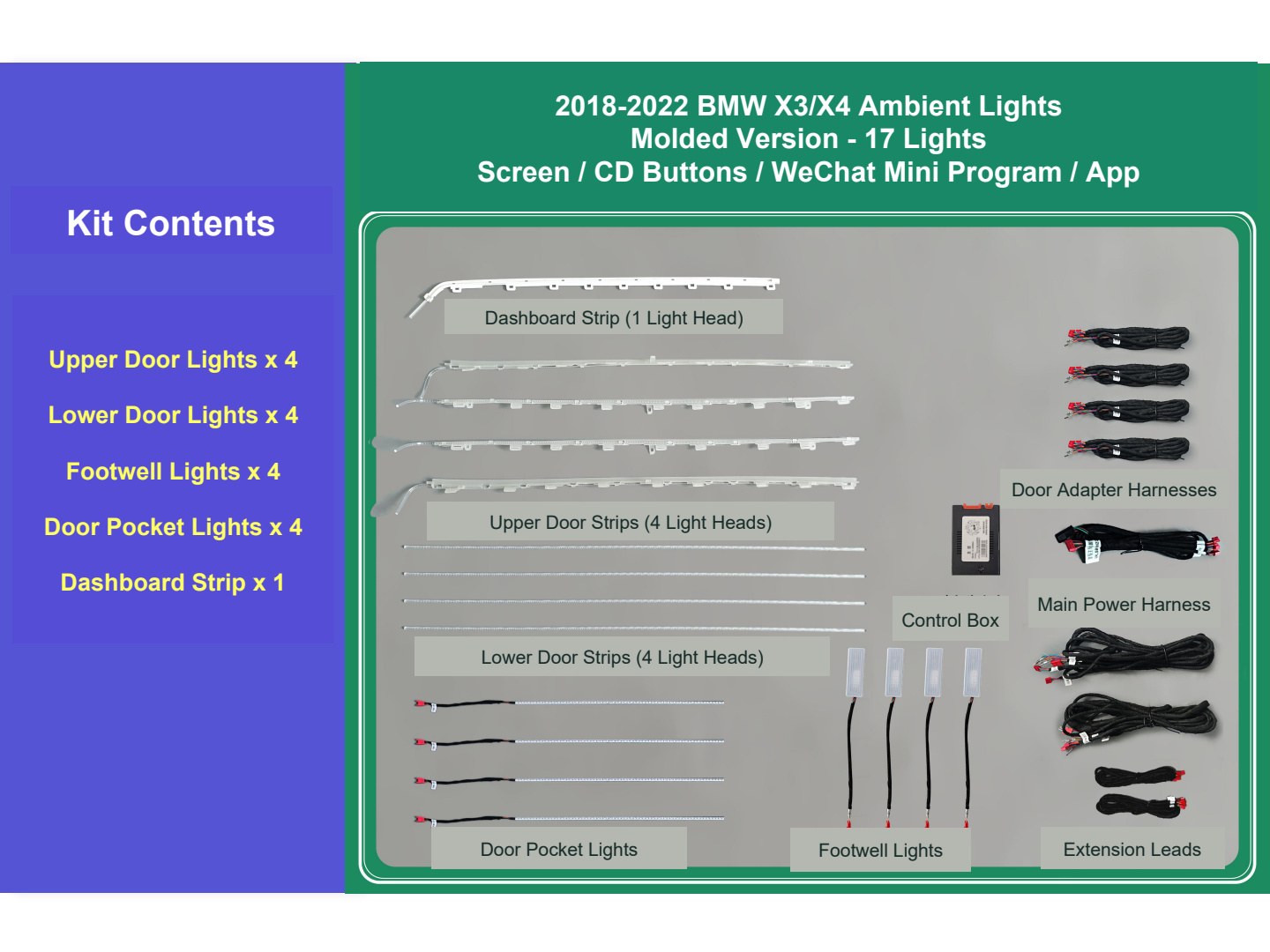
2018–2024 BMW X3/X4 ambient lights. Molded version, 17 lights. Control methods: screen control / CD-panel button control / WeChat mini program / app control.
- Upper lights for four doors × 4
- Lower lights for four doors × 4
- Footwell lights × 4
- Door storage-pocket lights × 4
- Dashboard light strip × 1
Diagram labels: passenger-side dashboard light strip (1 light head); upper contour light strips for four doors (4 light heads); lower contour light strips for four doors (4 light heads); storage-pocket lights; footwell lights; door adapter harnesses; control box; main vehicle power harness; extension leads.
Installation Instructions and Harness Functions
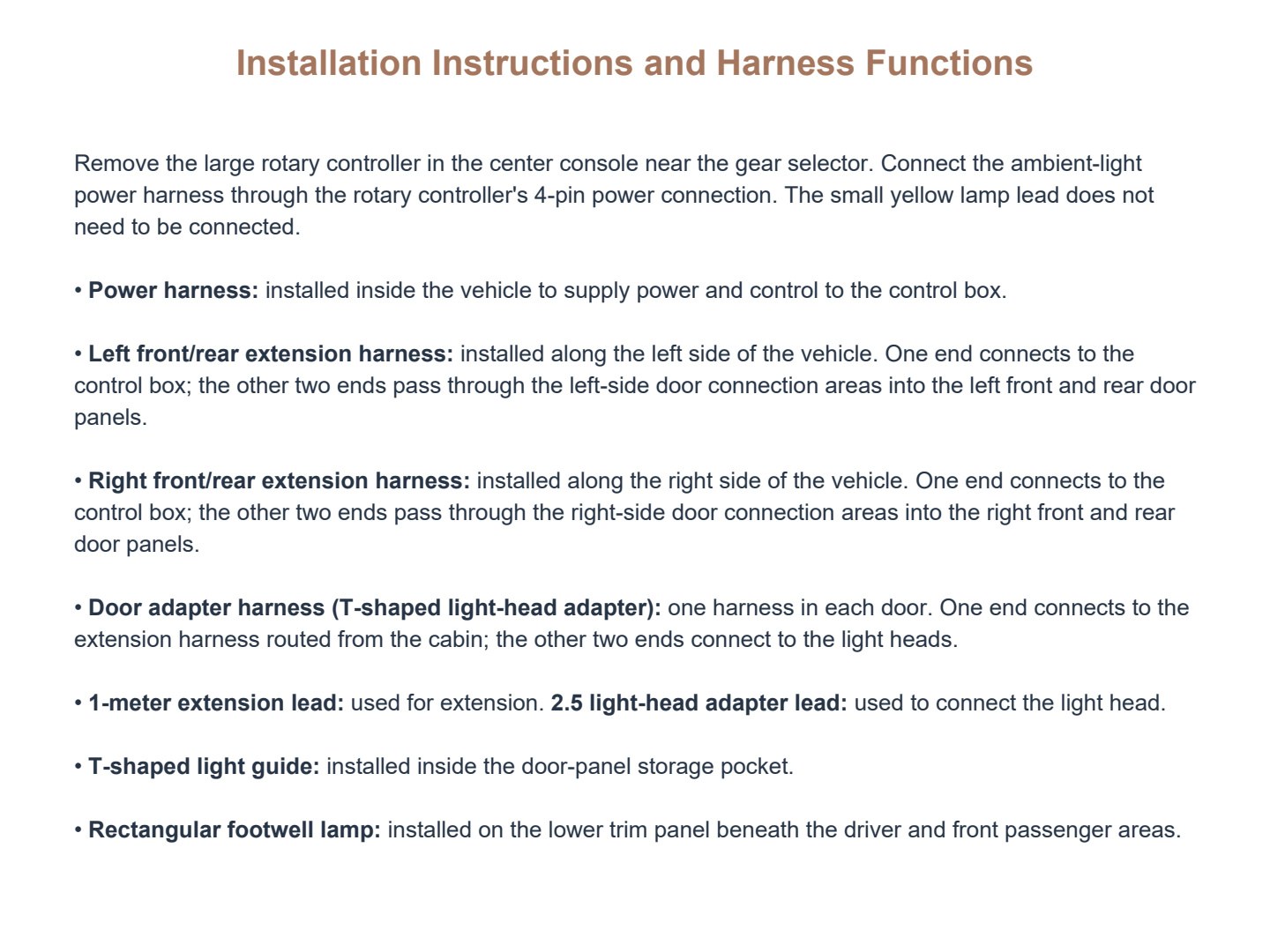
Remove the large rotary controller in the center console near the gear selector. Connect the ambient-light power harness through the rotary controller’s 4-pin power connection. The small yellow lamp lead does not need to be connected.
- Power harness: installed inside the vehicle to supply power and control to the control box.
- Left front/rear extension harness: installed along the left side of the vehicle. One end connects to the control box; the other two ends pass through the left-side door connection areas into the left front and rear door panels.
- Right front/rear extension harness: installed along the right side of the vehicle. One end connects to the control box; the other two ends pass through the right-side door connection areas into the right front and rear door panels.
- Door adapter harness (T-shaped light-head adapter): one harness in each door. One end connects to the extension harness routed from the cabin; the other two ends connect to the light heads.
- 1-meter extension lead: used for extension. 2.5 light-head adapter lead: used to connect the light head.
- T-shaped light guide: installed inside the door-panel storage pocket.
- Rectangular footwell lamp: installed on the lower trim panel beneath the driver and front passenger areas.
Common Installation Problems
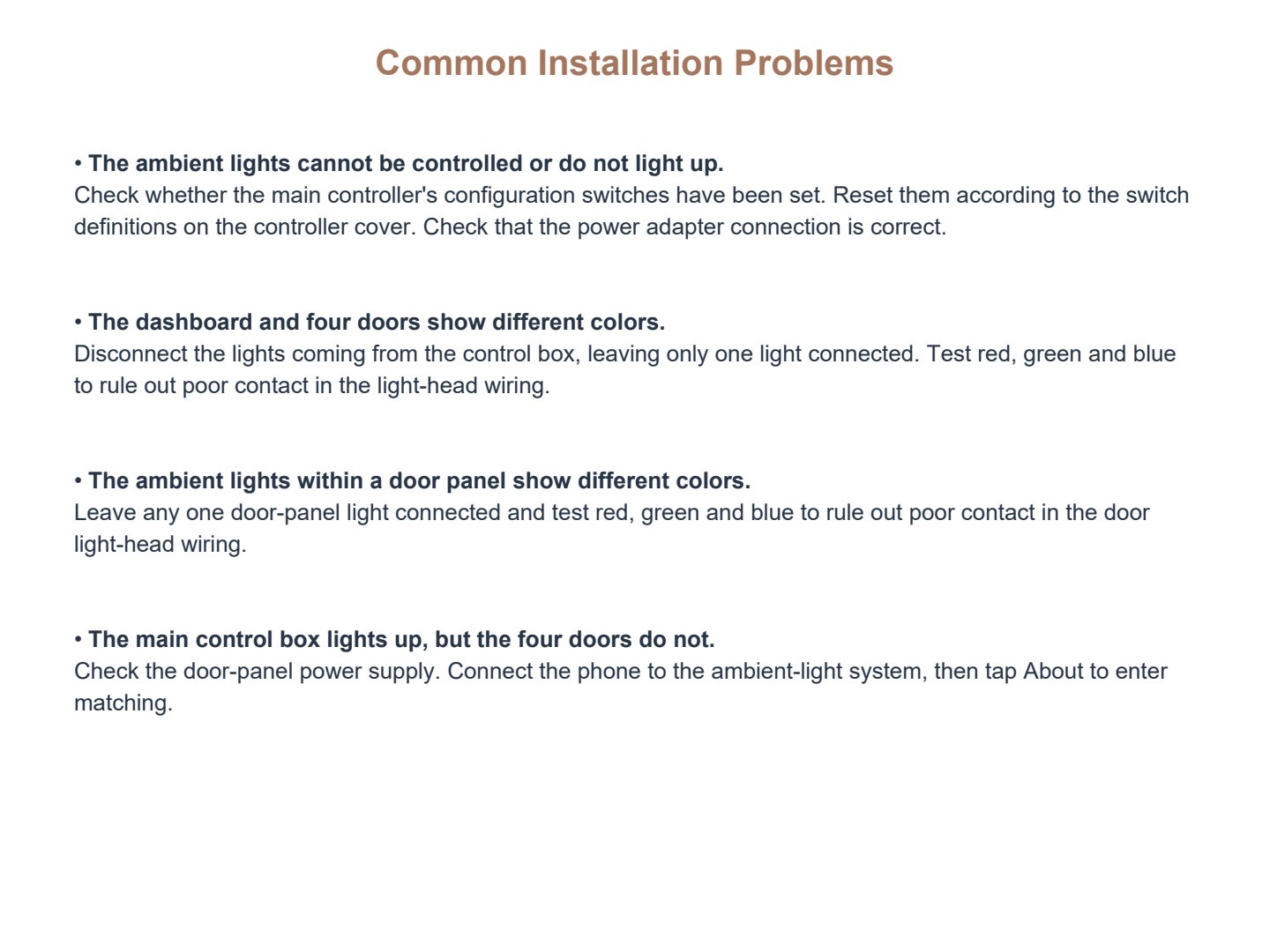
- The ambient lights cannot be controlled or do not light up.Check whether the main controller’s configuration switches have been set. Reset them according to the switch definitions on the controller cover. Check that the power adapter connection is correct.
- The dashboard and four doors show different colors.Disconnect the lights coming from the control box, leaving only one light connected. Test red, green and blue to rule out poor contact in the light-head wiring.
- The ambient lights within a door panel show different colors.Leave any one door-panel light connected and test red, green and blue to rule out poor contact in the door light-head wiring.
- The main control box lights up, but the four doors do not.Check the door-panel power supply. Connect the phone to the ambient-light system, then tap About to enter matching.
Mini Program and App QR Codes
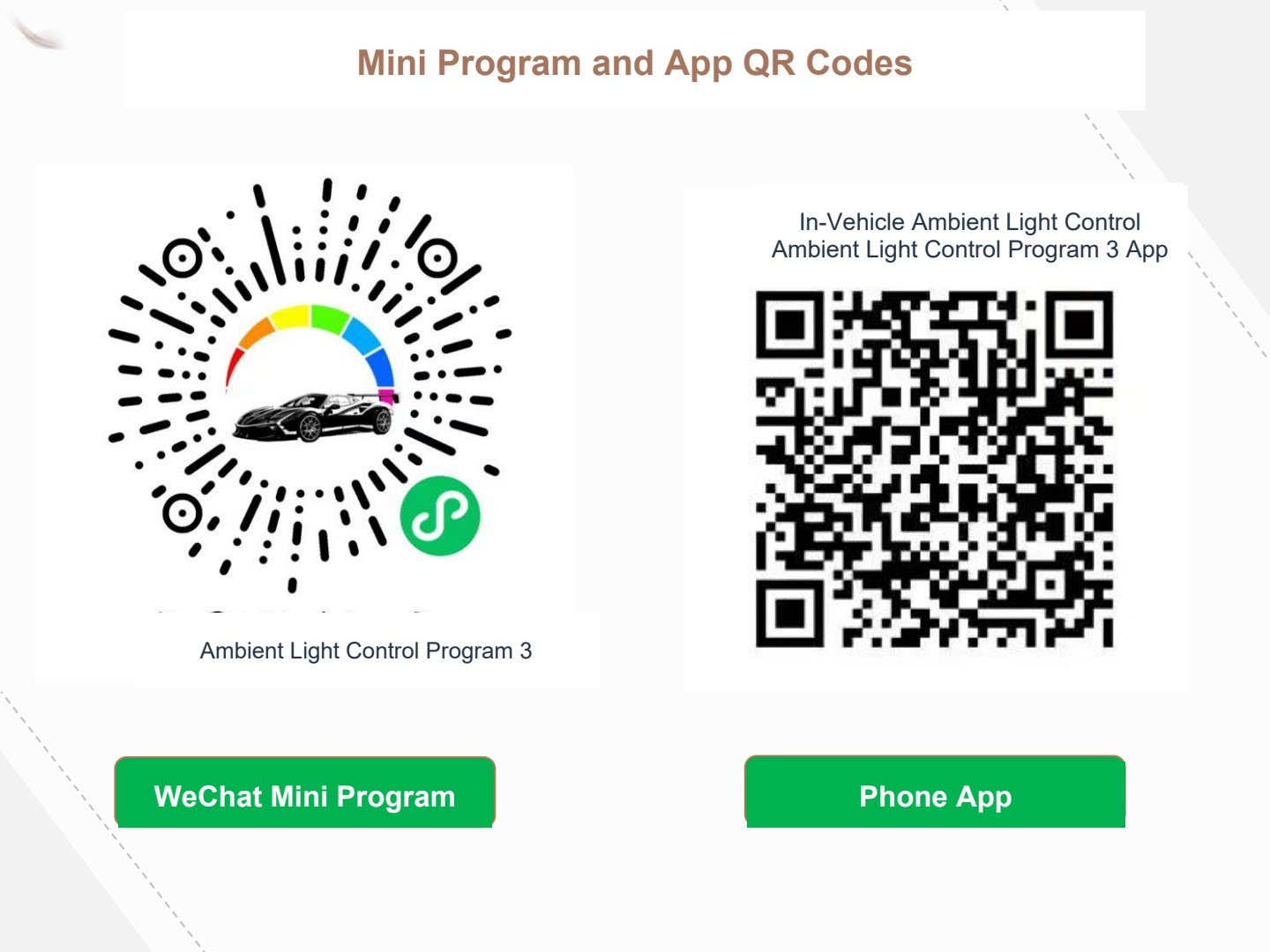
Left: WeChat mini program — Ambient Light Control Program 3.
Right: Phone app — In-Vehicle Ambient Light Control Program / Ambient Light Control Program 3 App.
Configuration Switch Operation
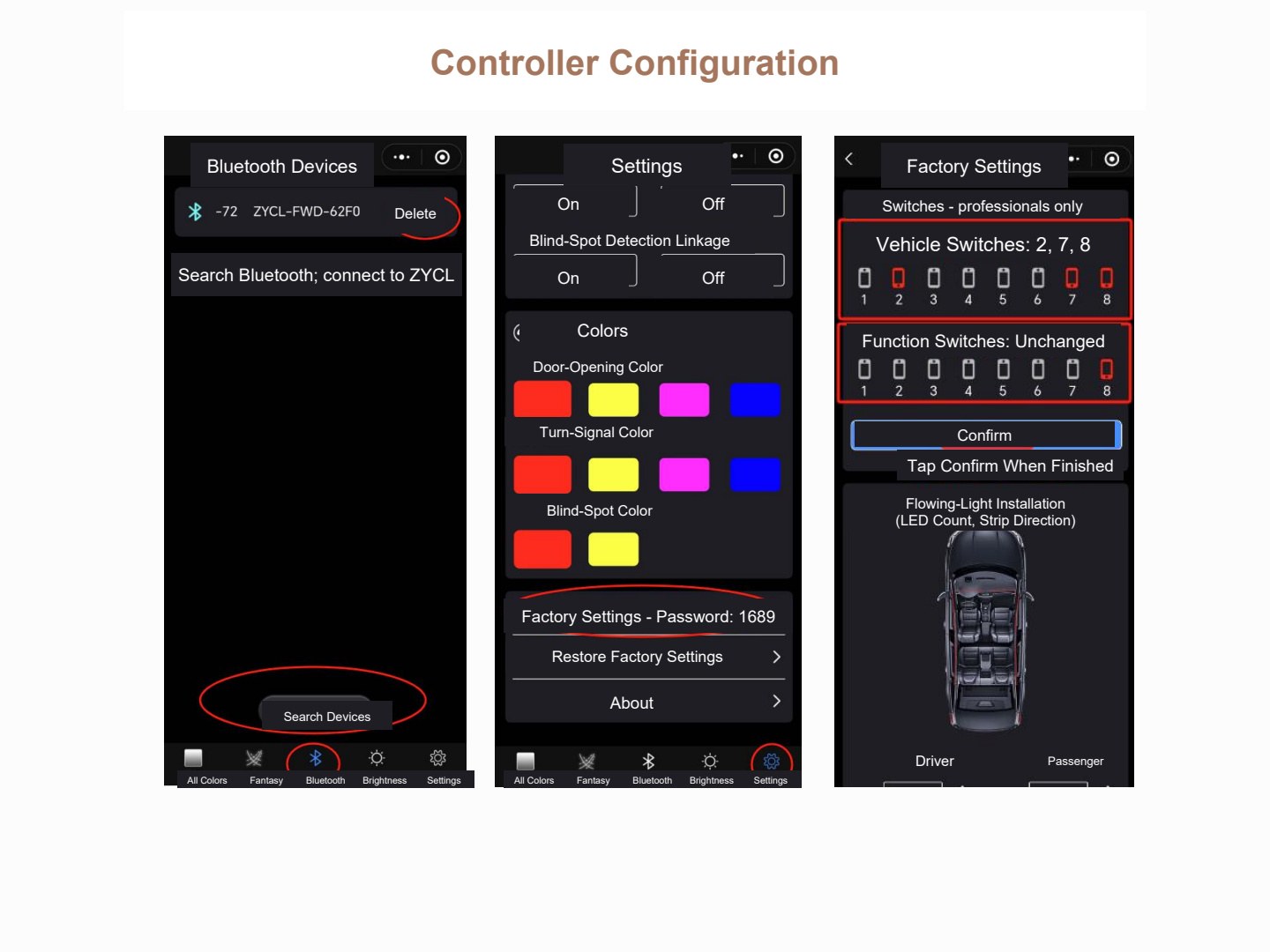
In Settings, search for Bluetooth devices and connect to the device whose name starts with ZYCL.
Bluetooth screen labels: Bluetooth Devices; Delete; Search Devices. Bottom tabs: All Colors; Fantasy Colors; Bluetooth; Brightness; Settings.
Settings screen labels: On; Off; Blind-Spot Detection Linkage; Colors; Door-Opening Color; Turn-Signal Color; Blind-Spot Color; Factory Settings; Restore Factory Settings; About.
Factory Settings password: 1689.
Factory Settings warning: Professionals only; do not operate without professional knowledge.
Vehicle configuration switches: 2, 7, 8. Leave the function-switch configuration unchanged. After setting the switches, tap Confirm.
Additional screen labels: Flowing-Light Installation Configuration (number of light beads, strip direction); Driver; Front Passenger.
Power Connection to the Rotary Controller
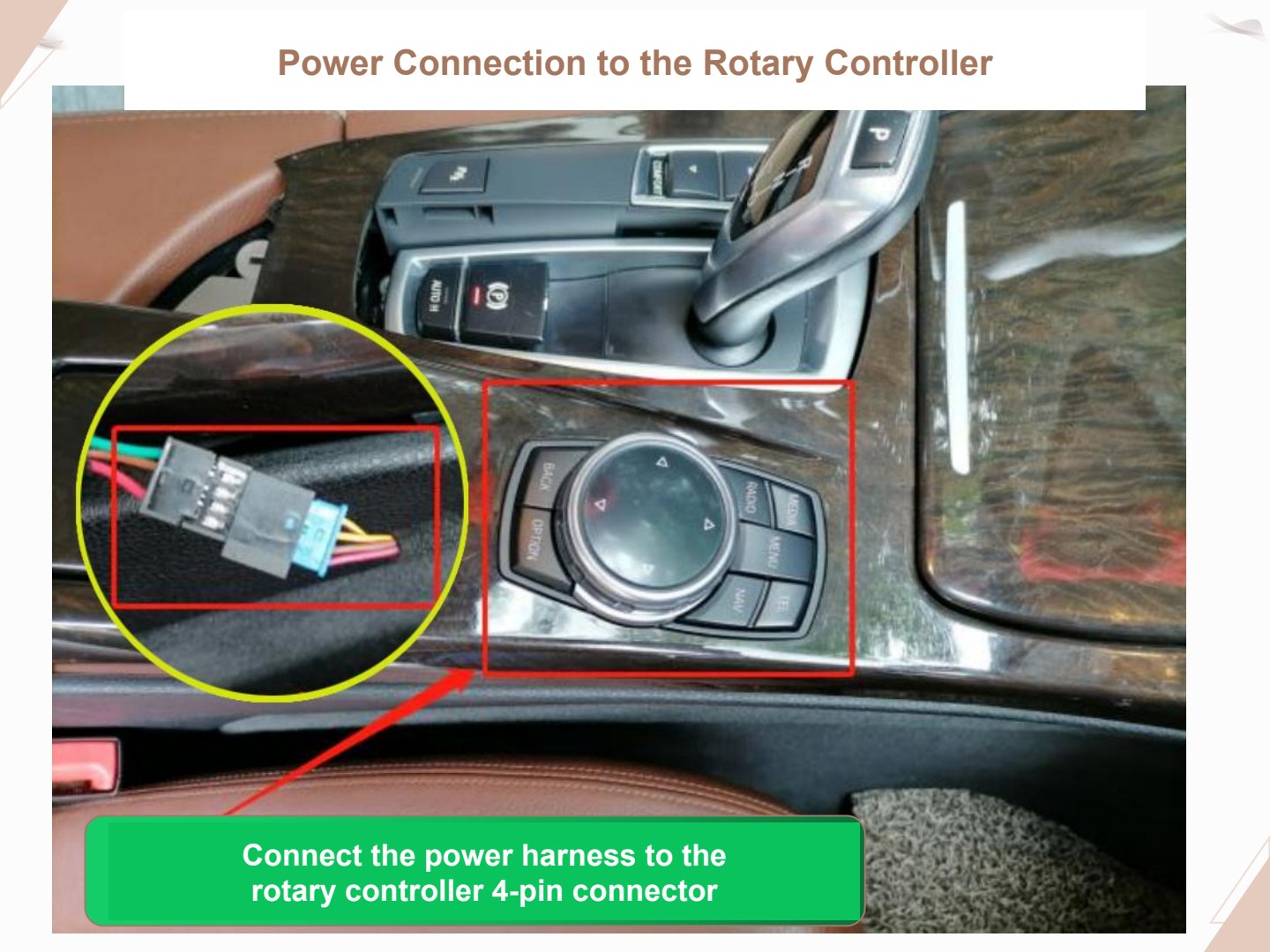
Connect the power harness through the large rotary controller’s 4-pin power connection.
Image label: connect the power adapter harness to the 4-pin connector of the rotary controller near the gear selector.
Ambient Light Locations in the Cabin
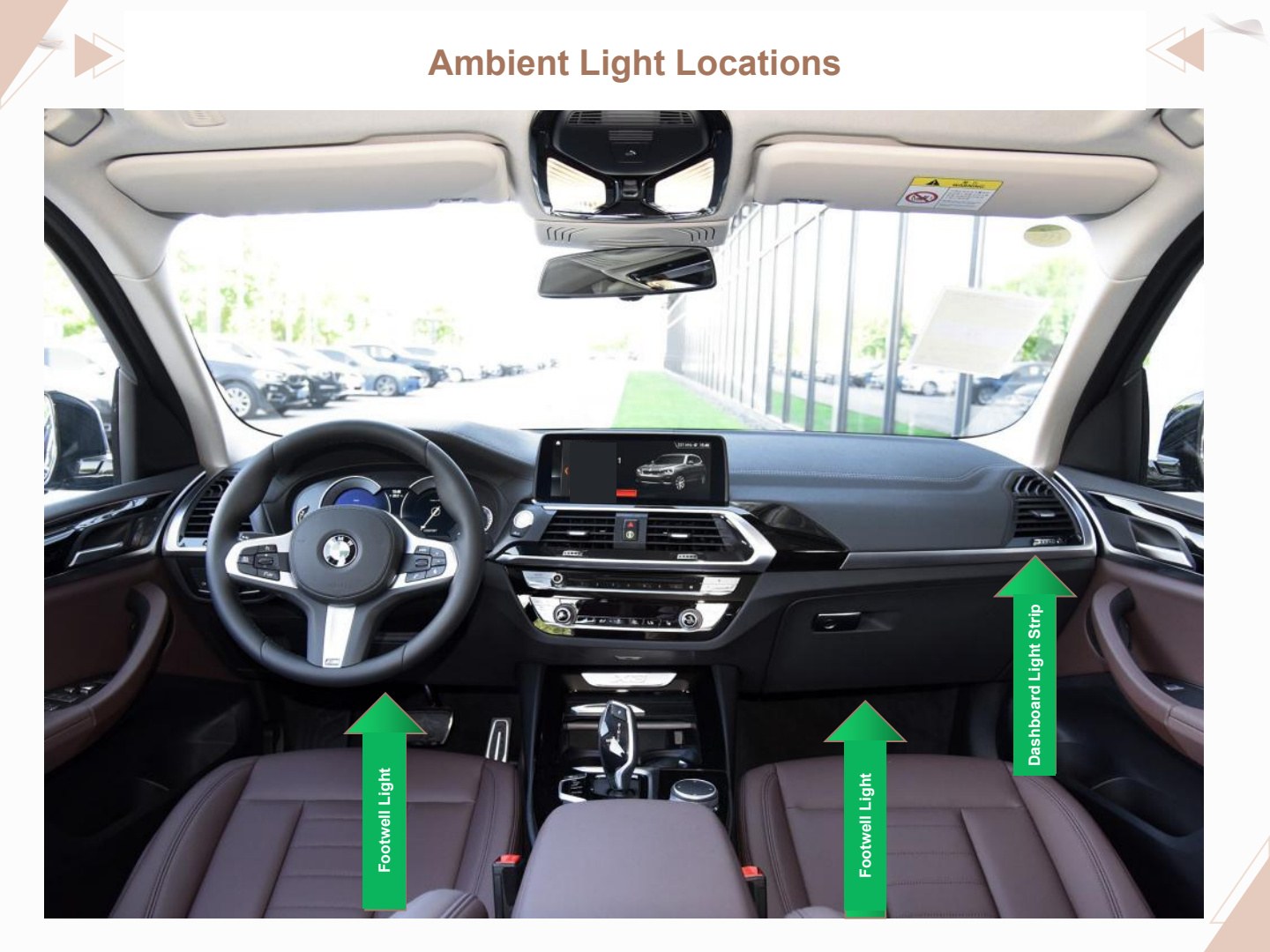
Image labels: dashboard light strip; driver footwell light; front passenger footwell light.
Ambient Light Locations on the Door
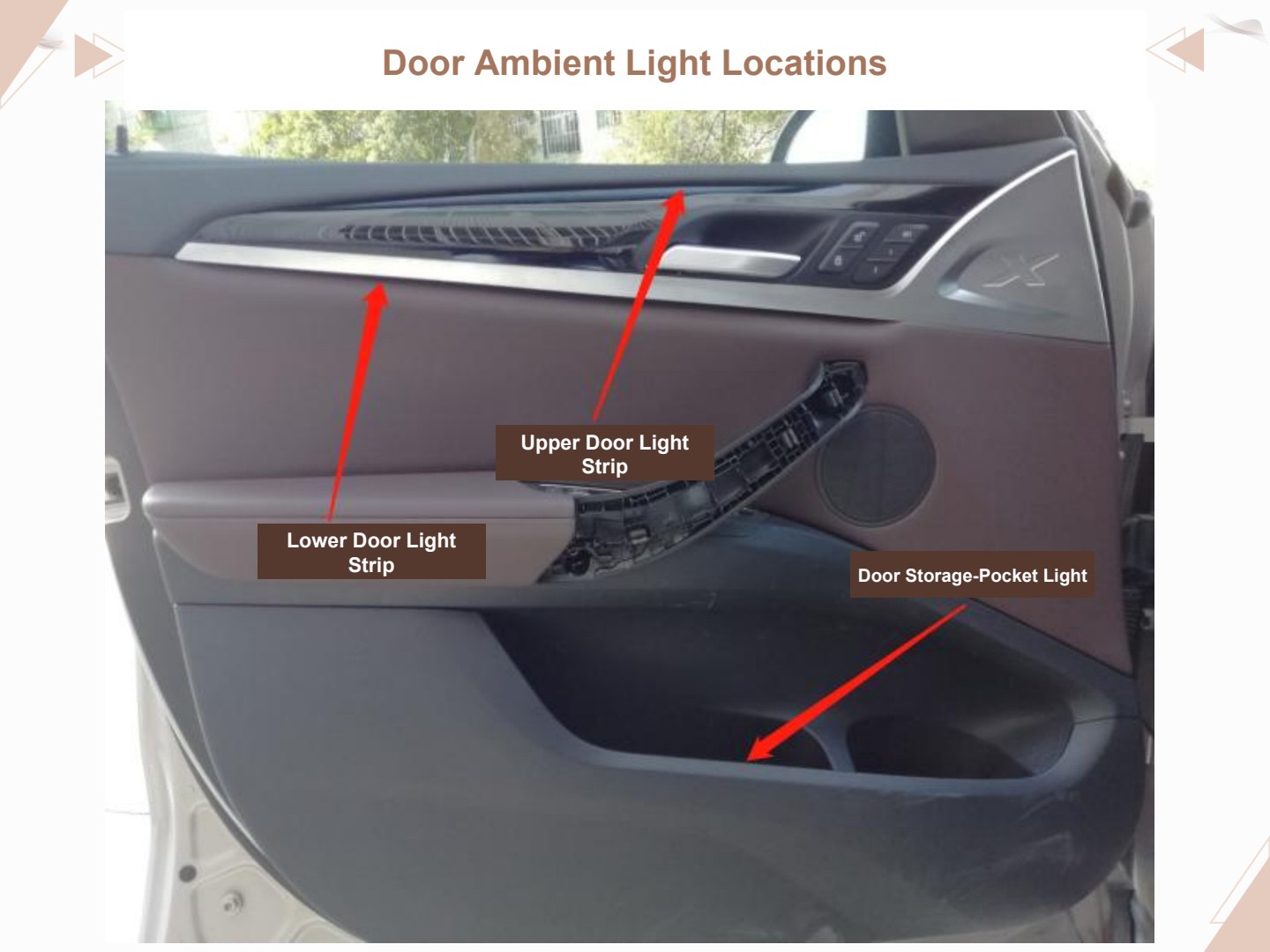
Image labels: upper door light strip; lower door light strip; door storage-pocket light.
Route Wiring into All Four Door Panels
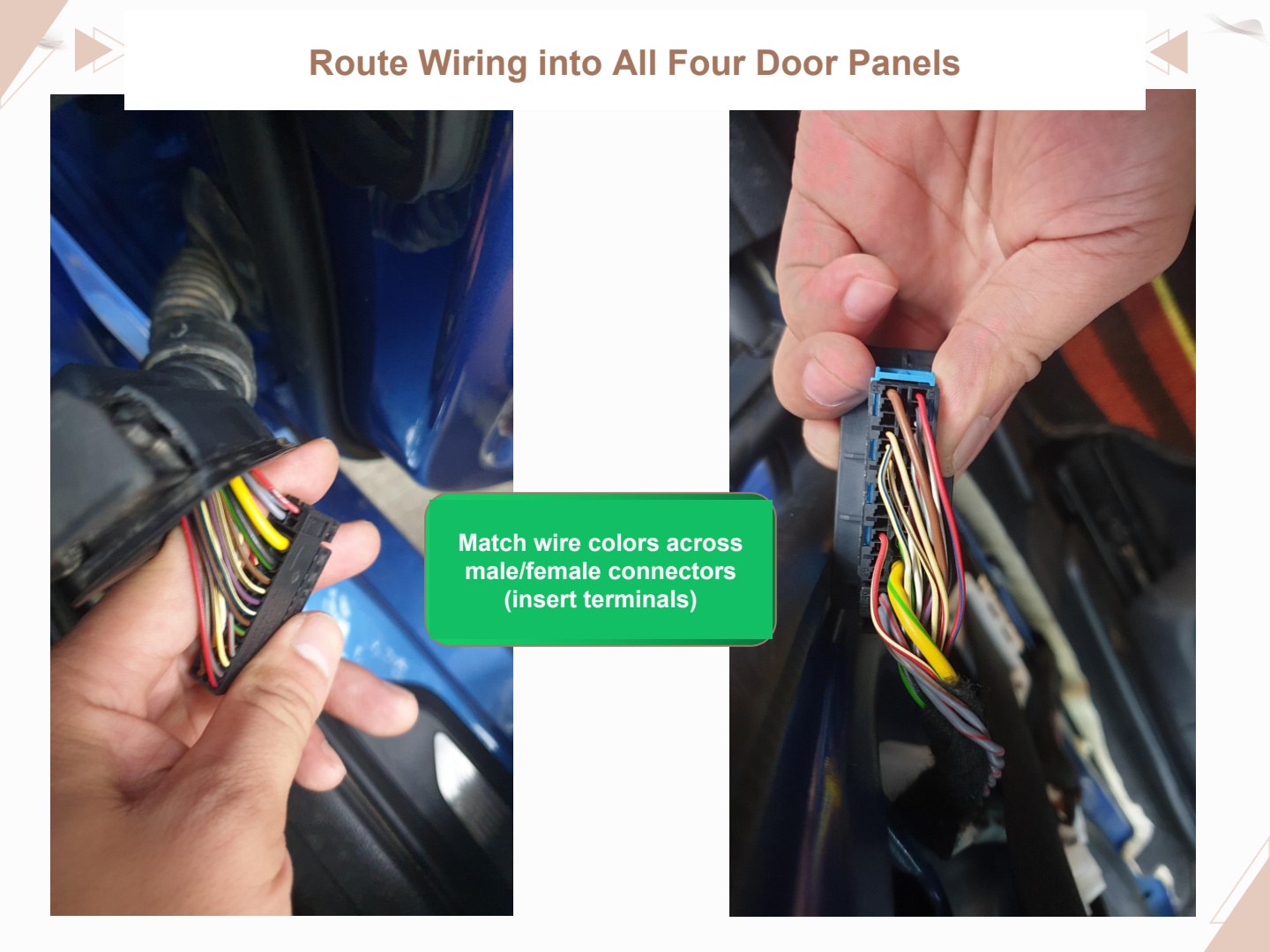
Wires must be routed into all four door panels.
Match the wire colors across the male and female connectors and insert the terminals.
Dashboard Light Strip Installation
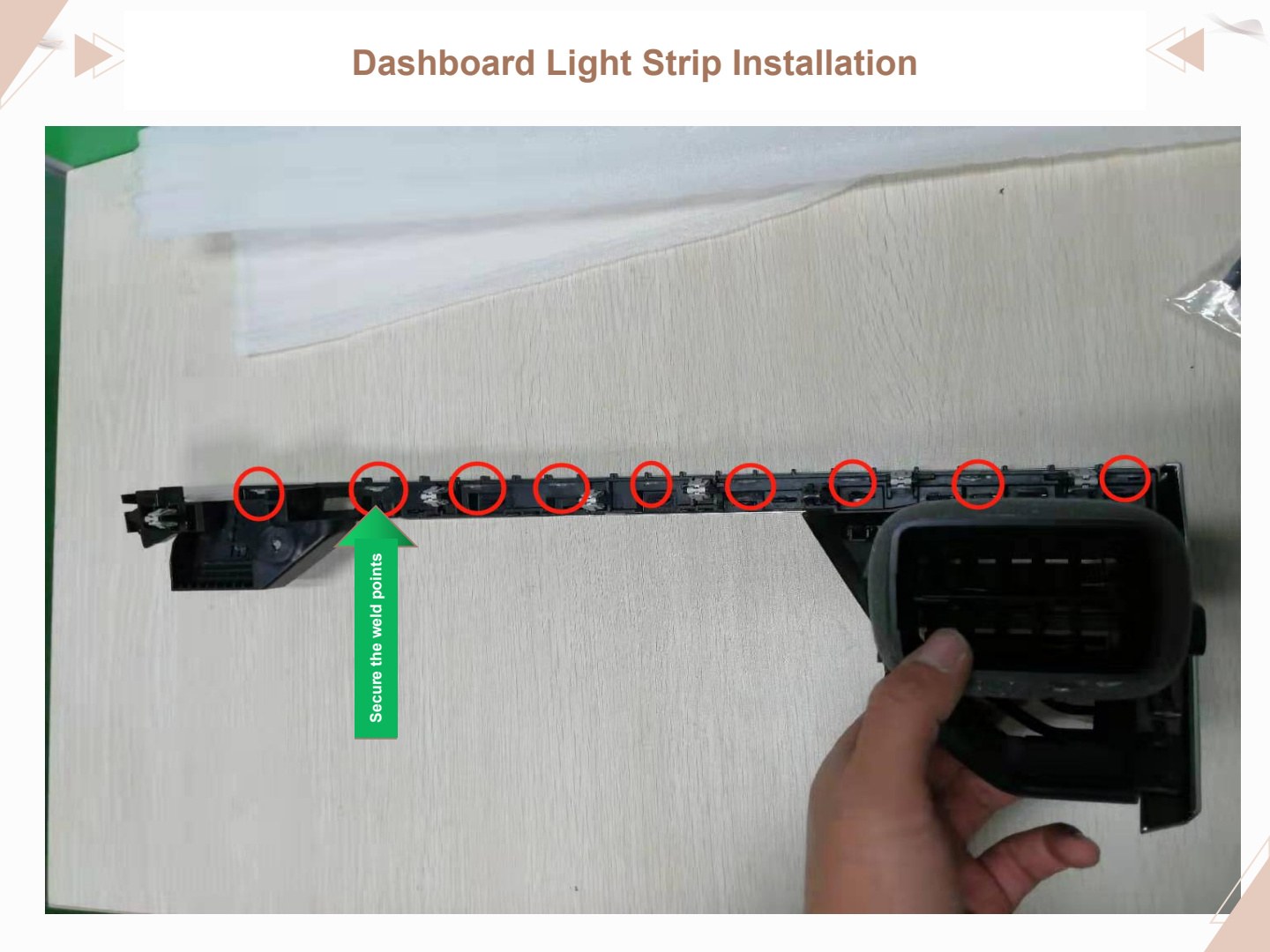
Secure the weld points.
Dashboard Light Strip Installation
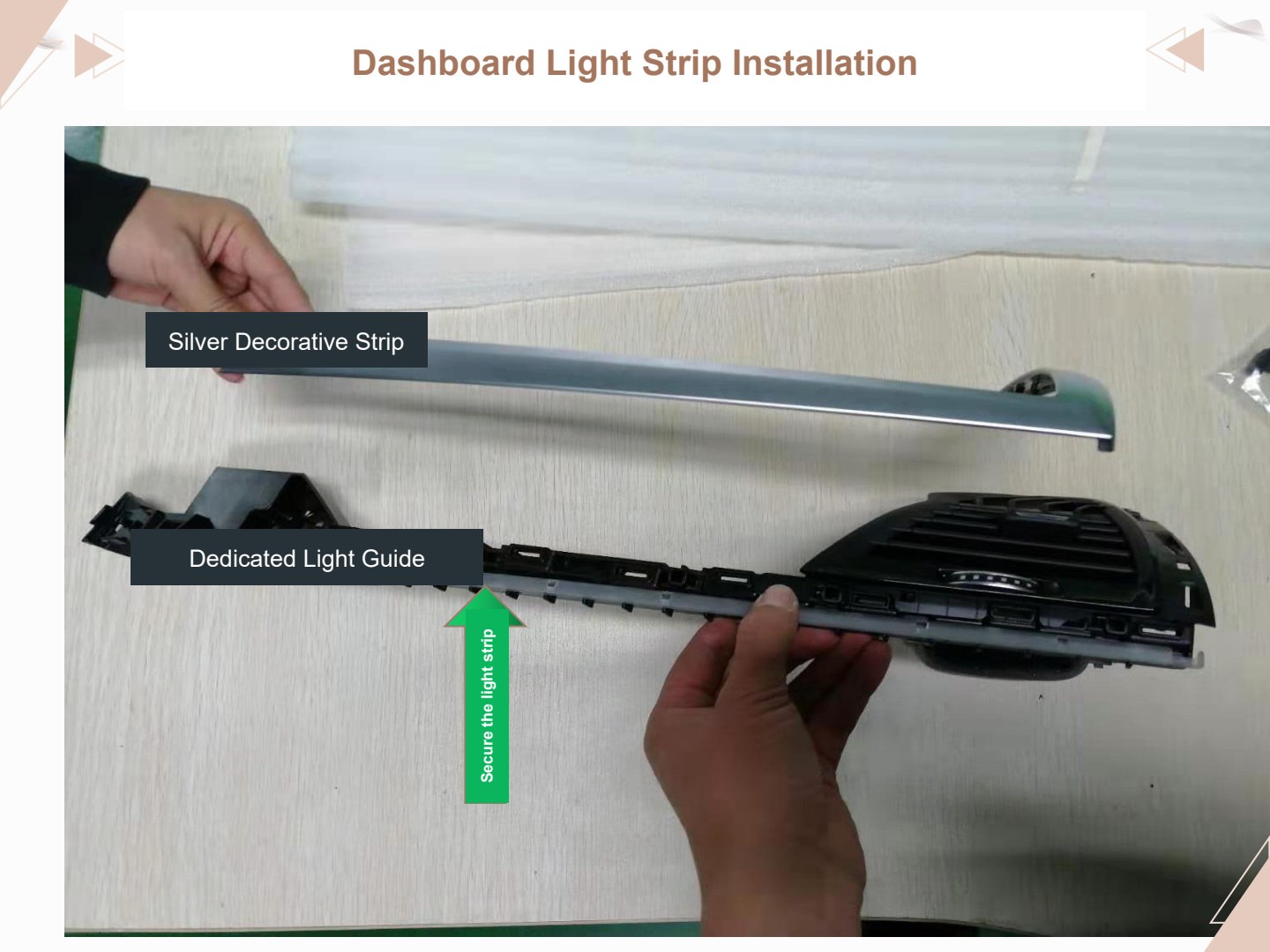
Image labels: silver decorative strip; dedicated light guide.
Secure the light strip.
Light Strip Installation
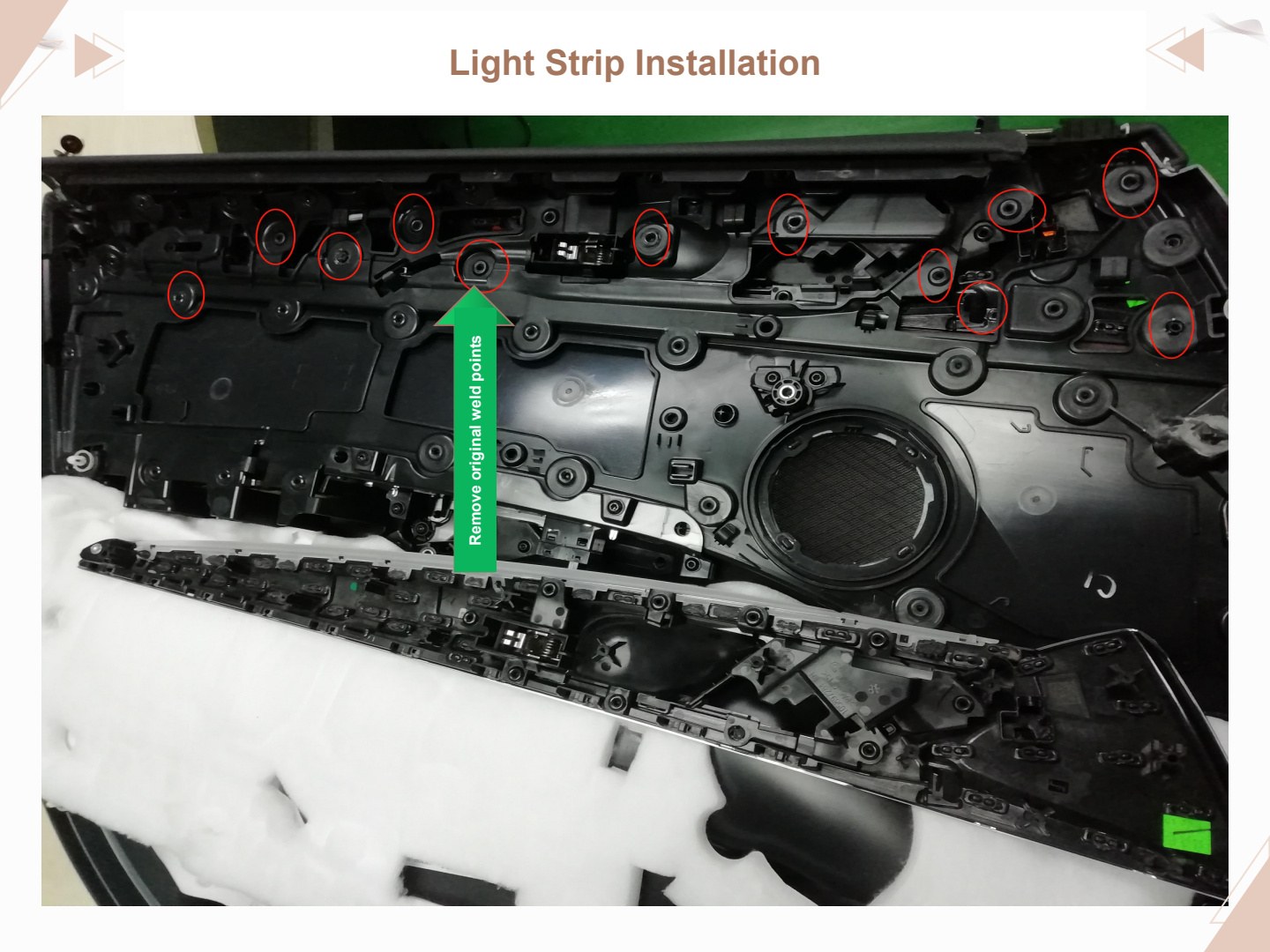
The original vehicle’s weld points need to be removed.
Light Strip Installation
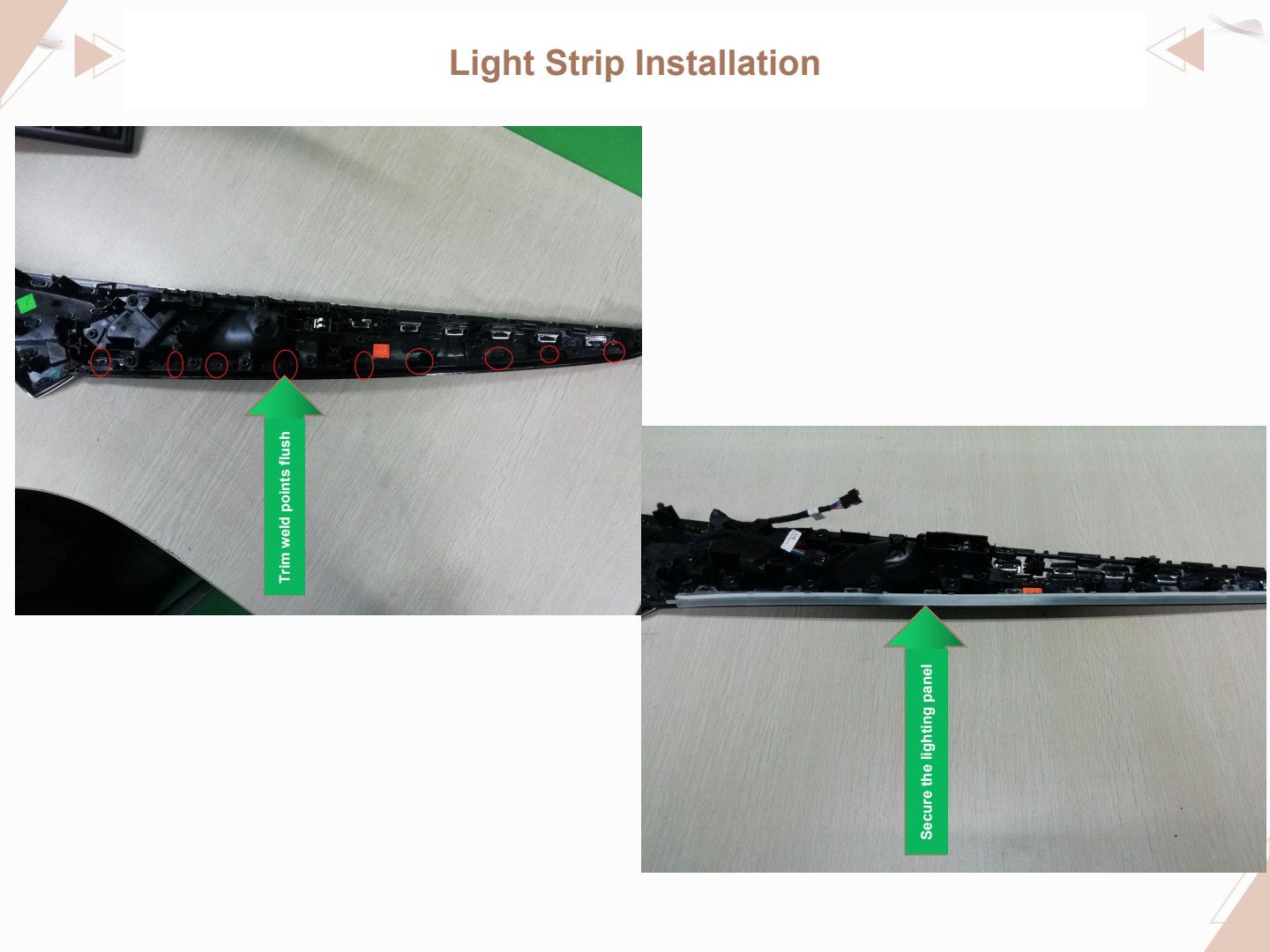
Trim the weld points flush.
Secure the lighting panel.
Light Strip Installation
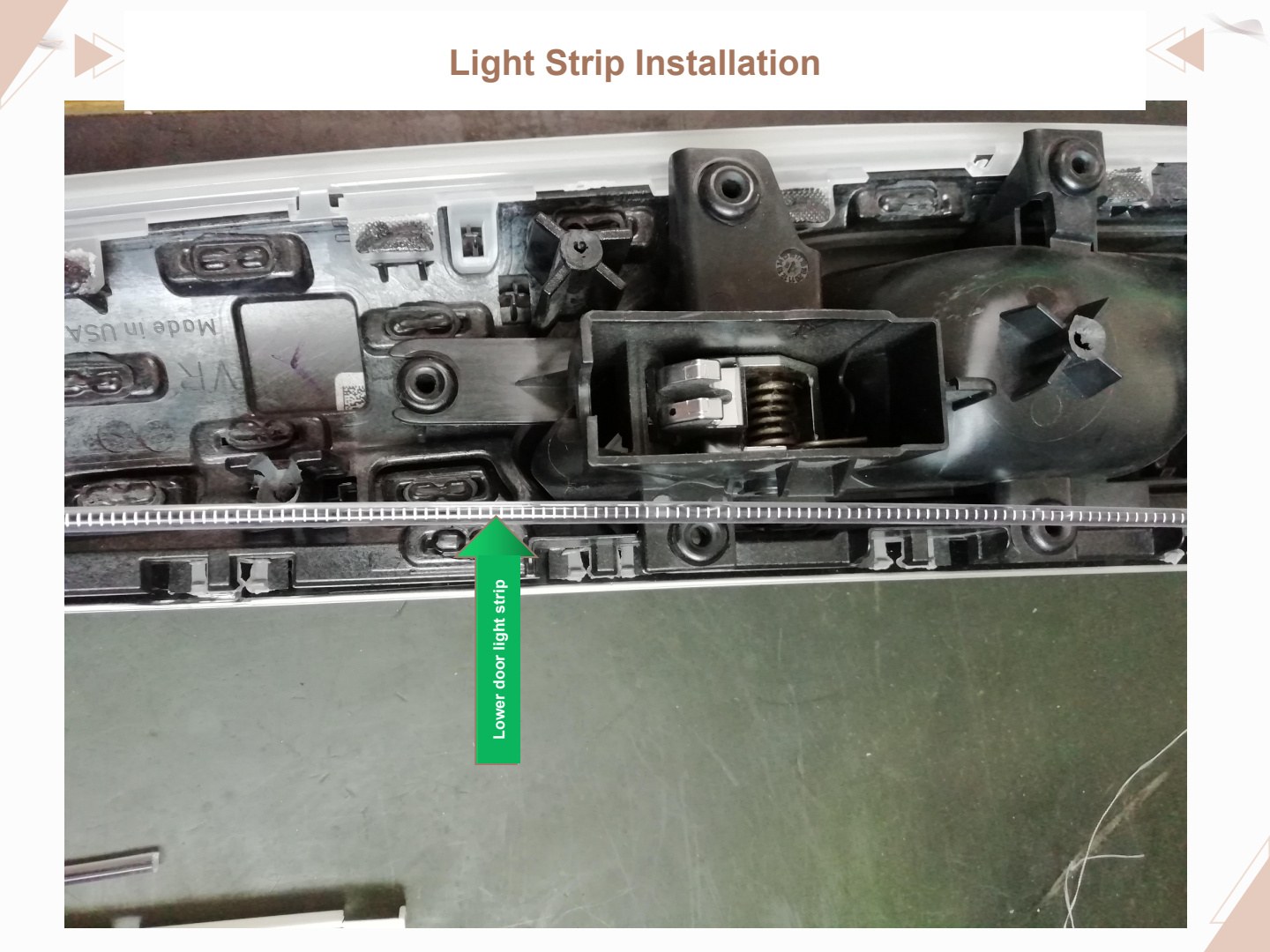
Image label: lower door light strip.
Route Wiring into All Four Door Panels
Wires must be routed into all four door panels.
Match the wire colors across the male and female connectors and insert the terminals.
Screen Control Requires Computer Coding
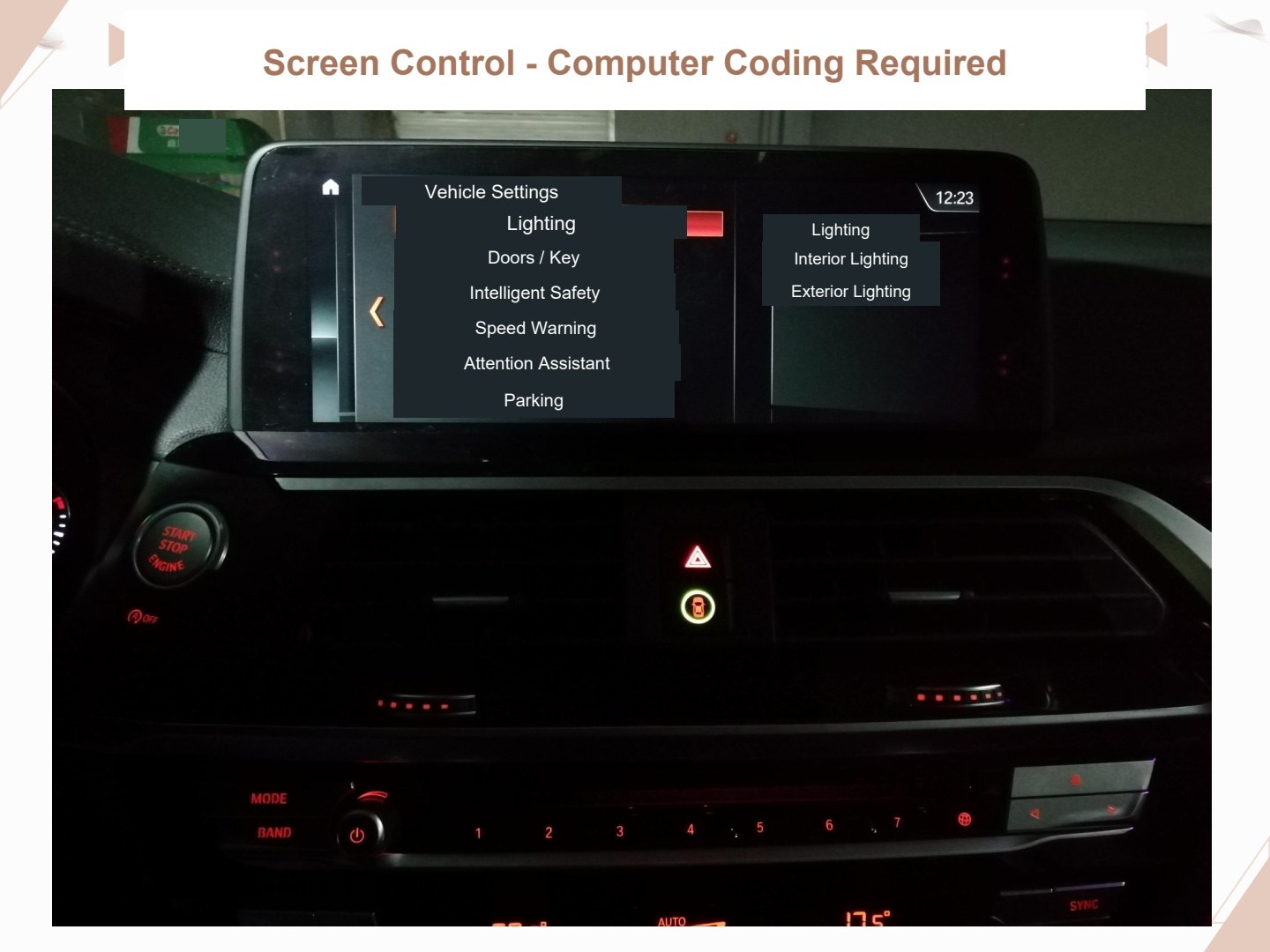
Screen control configuration — computer coding required.
Visible screen labels: Vehicle Settings; Lighting; Interior Lighting; Exterior Lighting; Doors/Key; Intelligent Safety; Speed Warning; Attention Assistant; Parking.
Screen Color Selection Requires Computer Coding
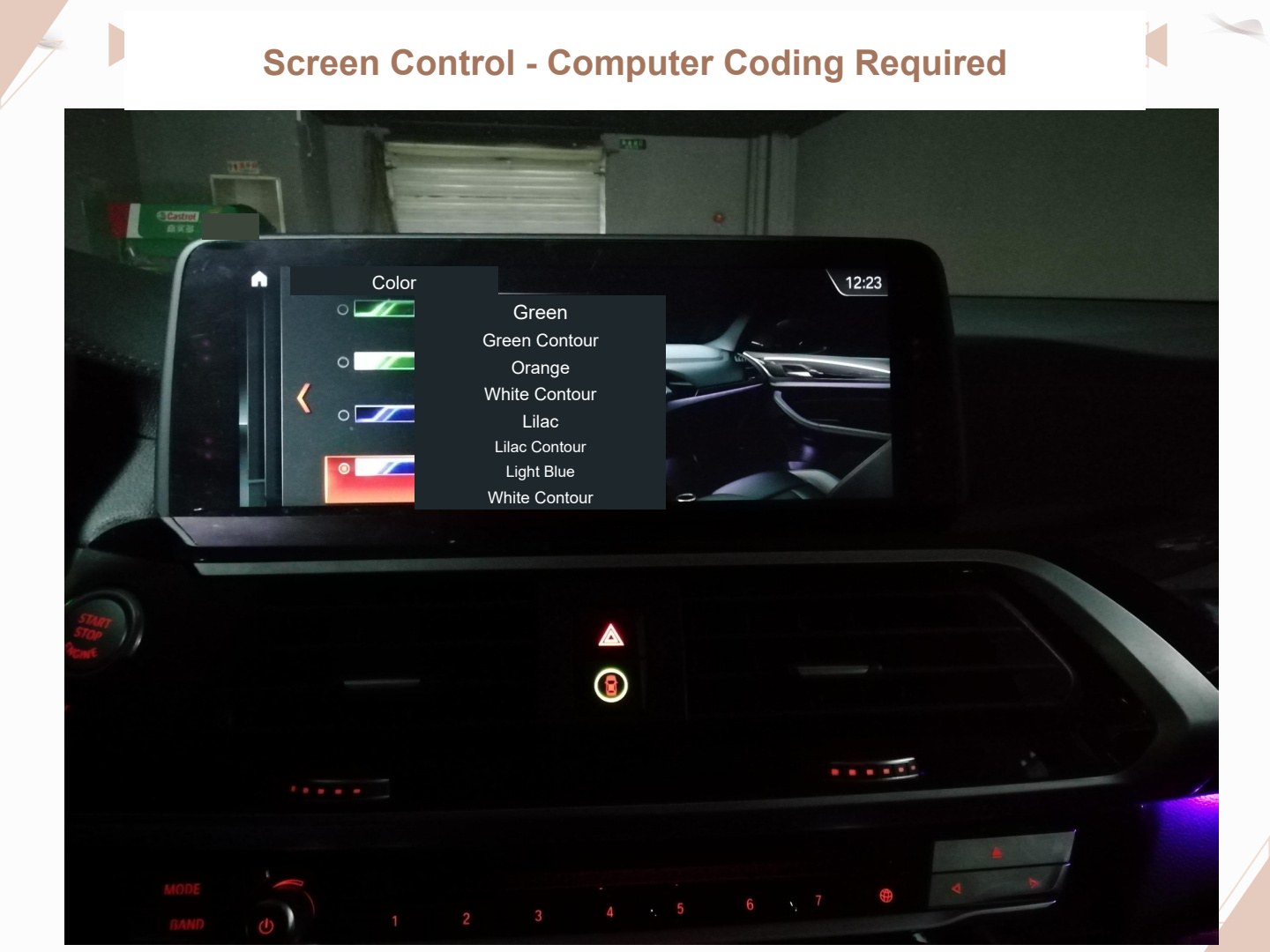
Screen control configuration — computer coding required.
Visible screen labels: Color; Green / Green Contour; Orange / White Contour; Lilac / Lilac Contour; Light Blue / White Contour.
CD-Panel Number-Button Control
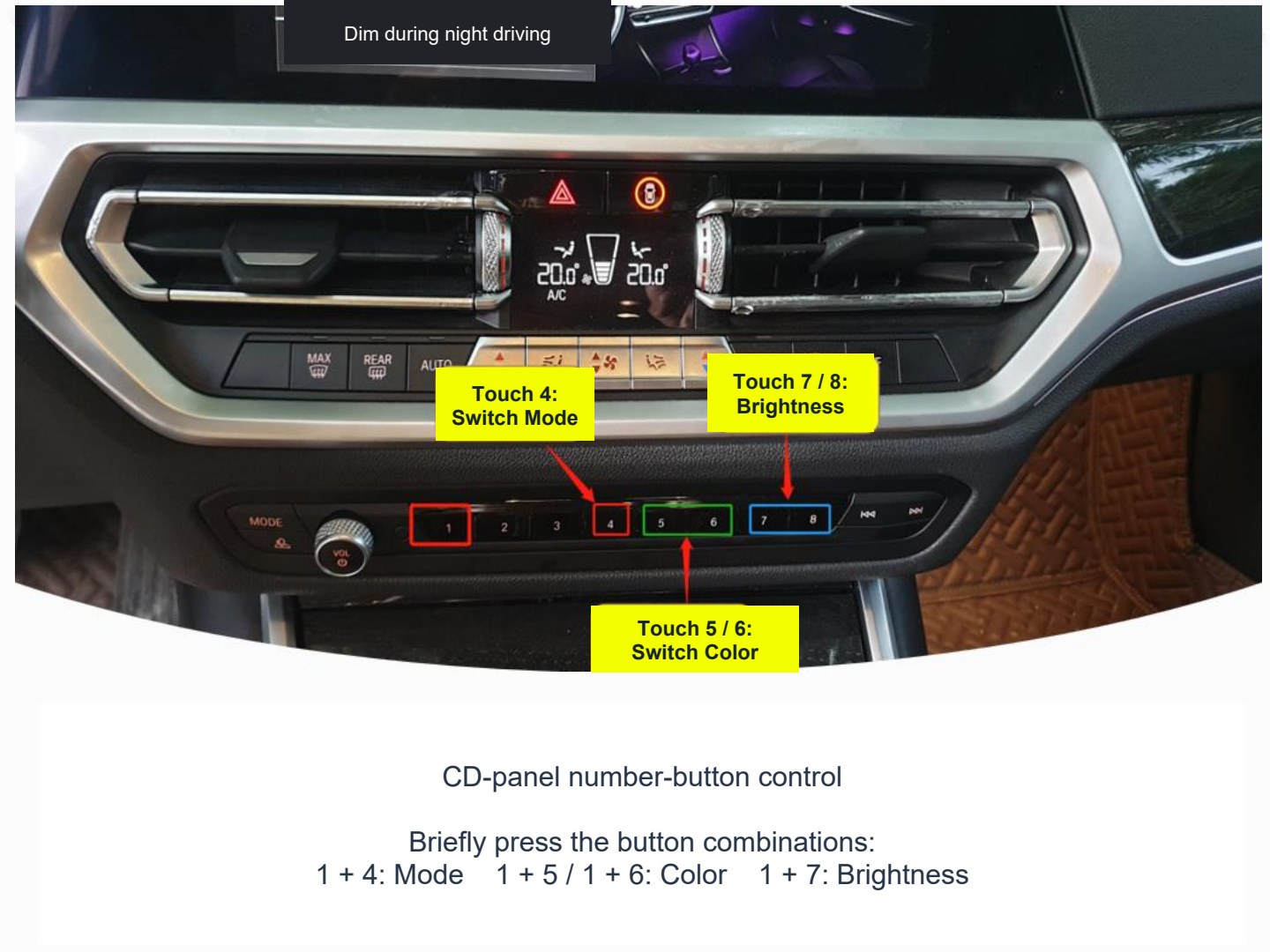
Briefly press the CD-panel button combinations:
- 1 + 4: adjust the mode.
- 1 + 5 / 1 + 6: adjust the color.
- 1 + 7: adjust the brightness.
Image annotations: touch number 4 to switch modes; touch numbers 5 and 6 to switch colors; touch numbers 7 and 8 to switch brightness.
Finished Installation
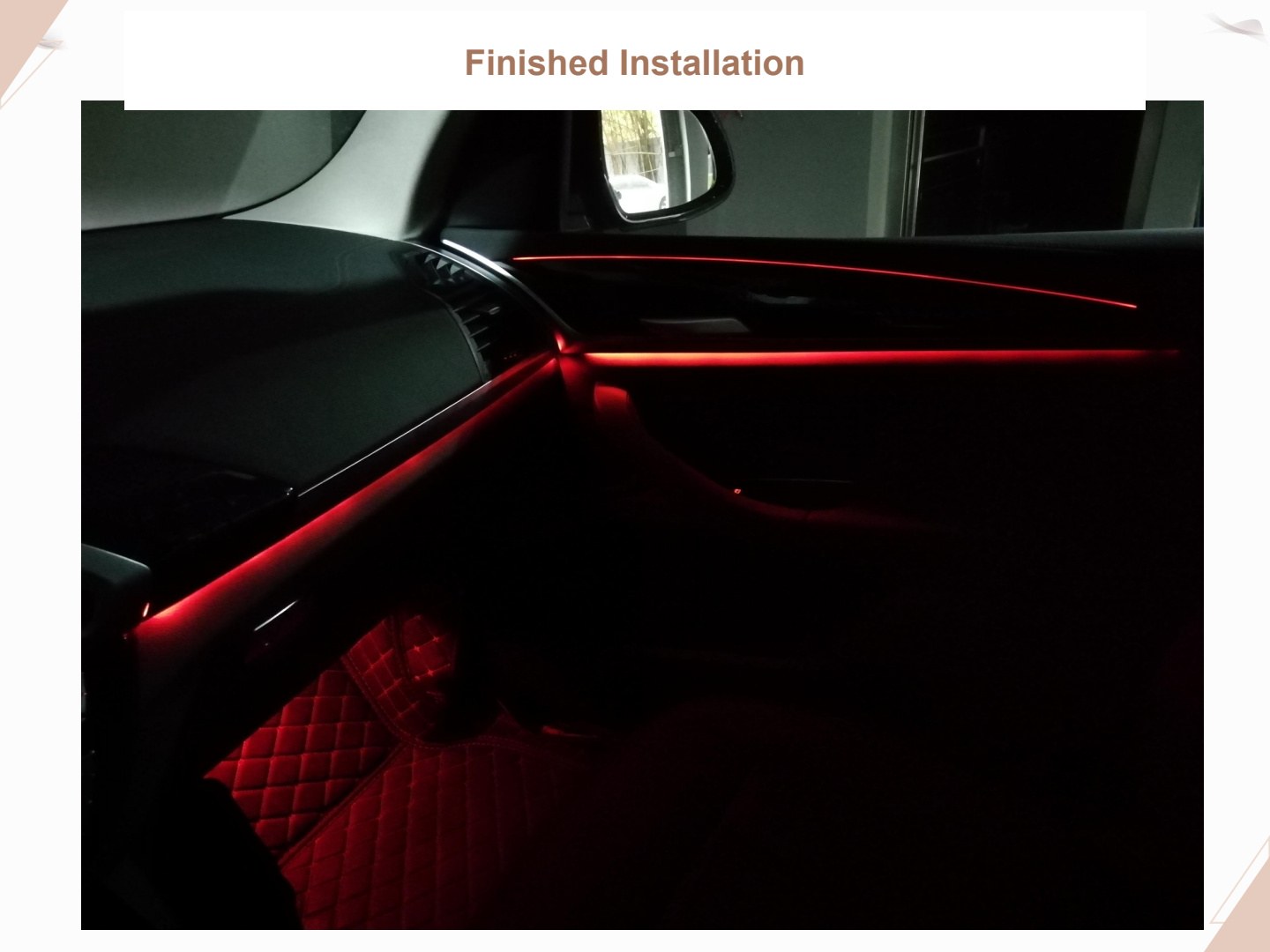
Finished installation view.
Finished Installation
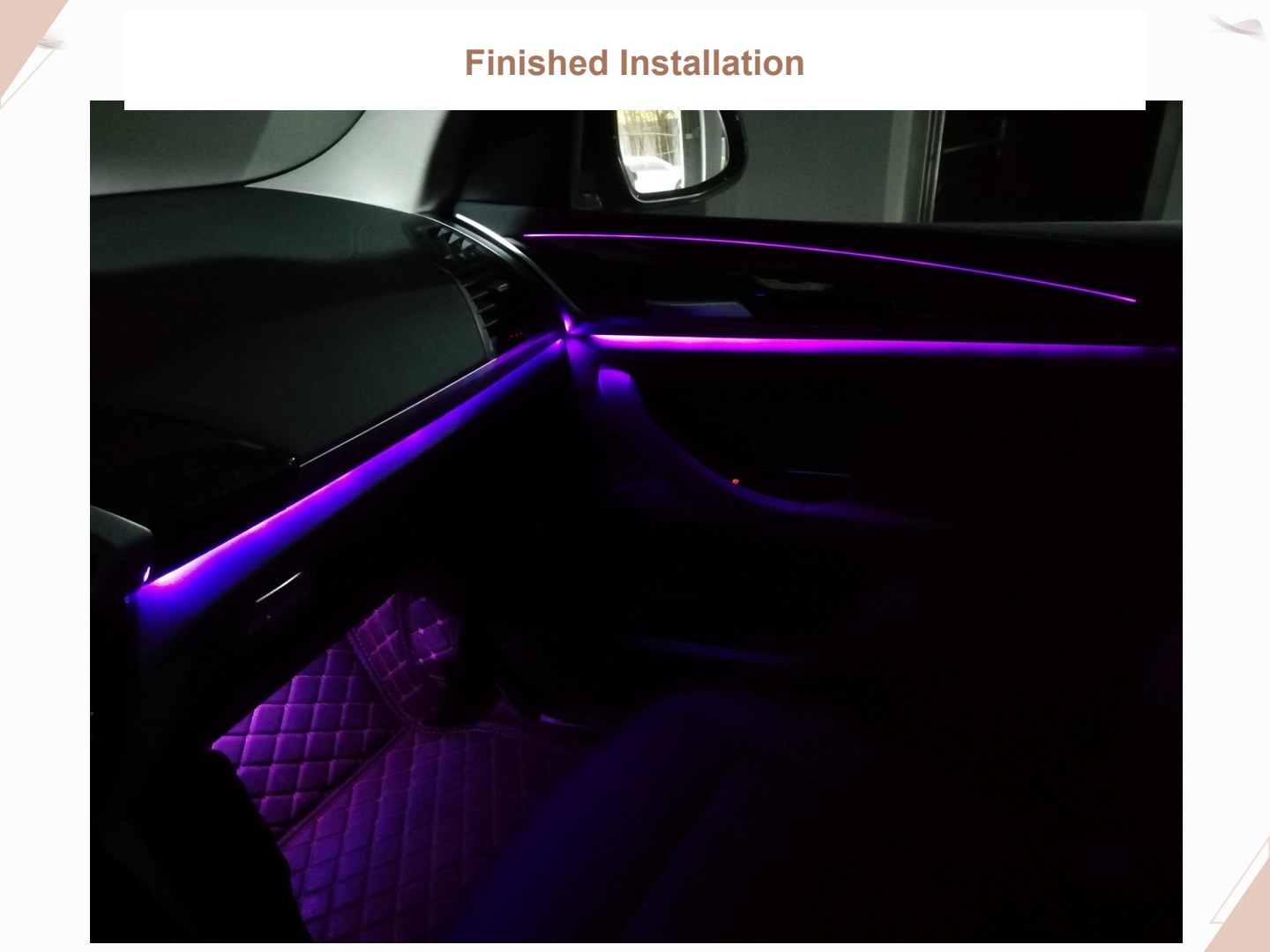
Finished installation view.
Finished Installation
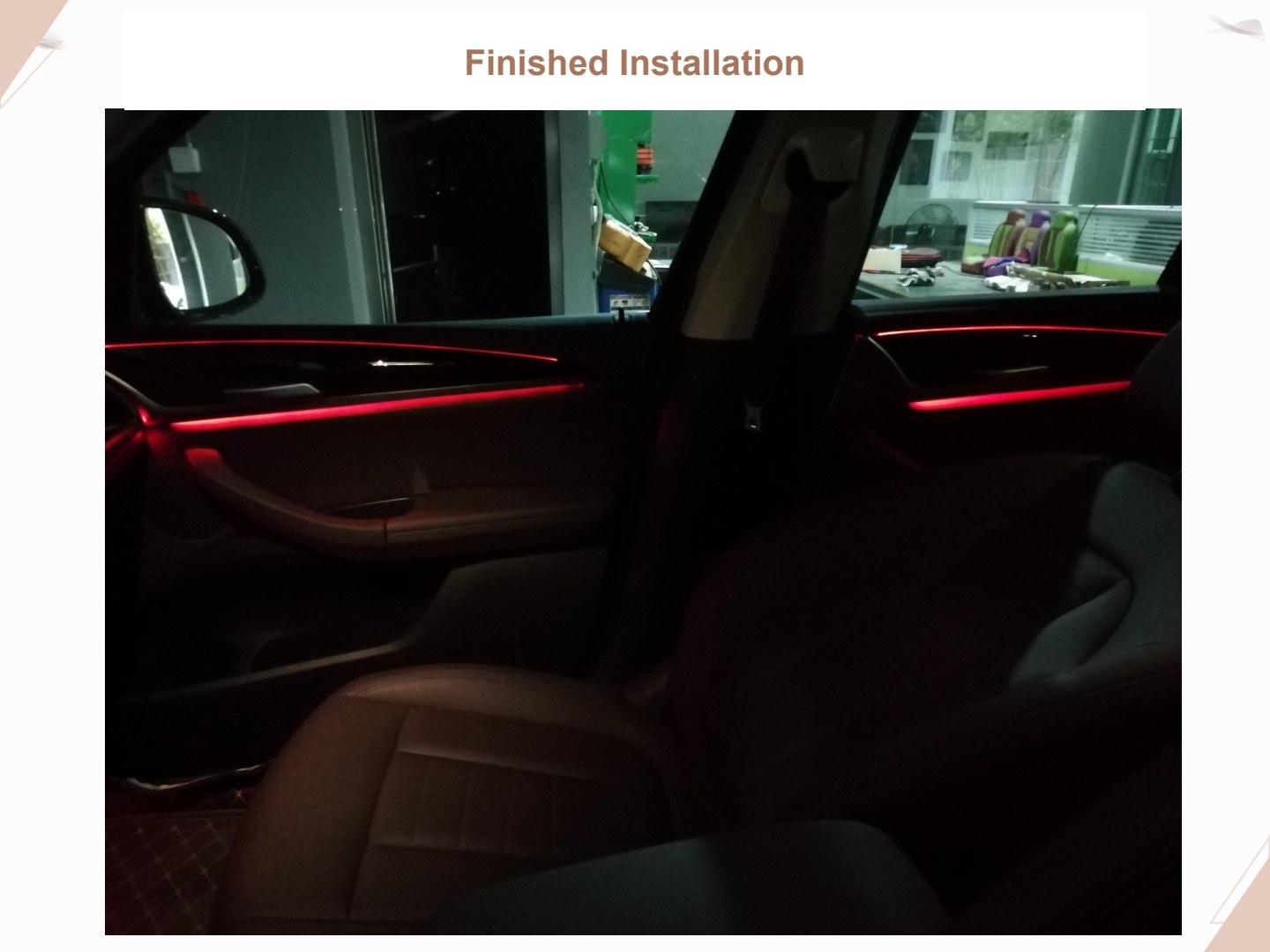
Finished installation view.
Common Problems and Solutions
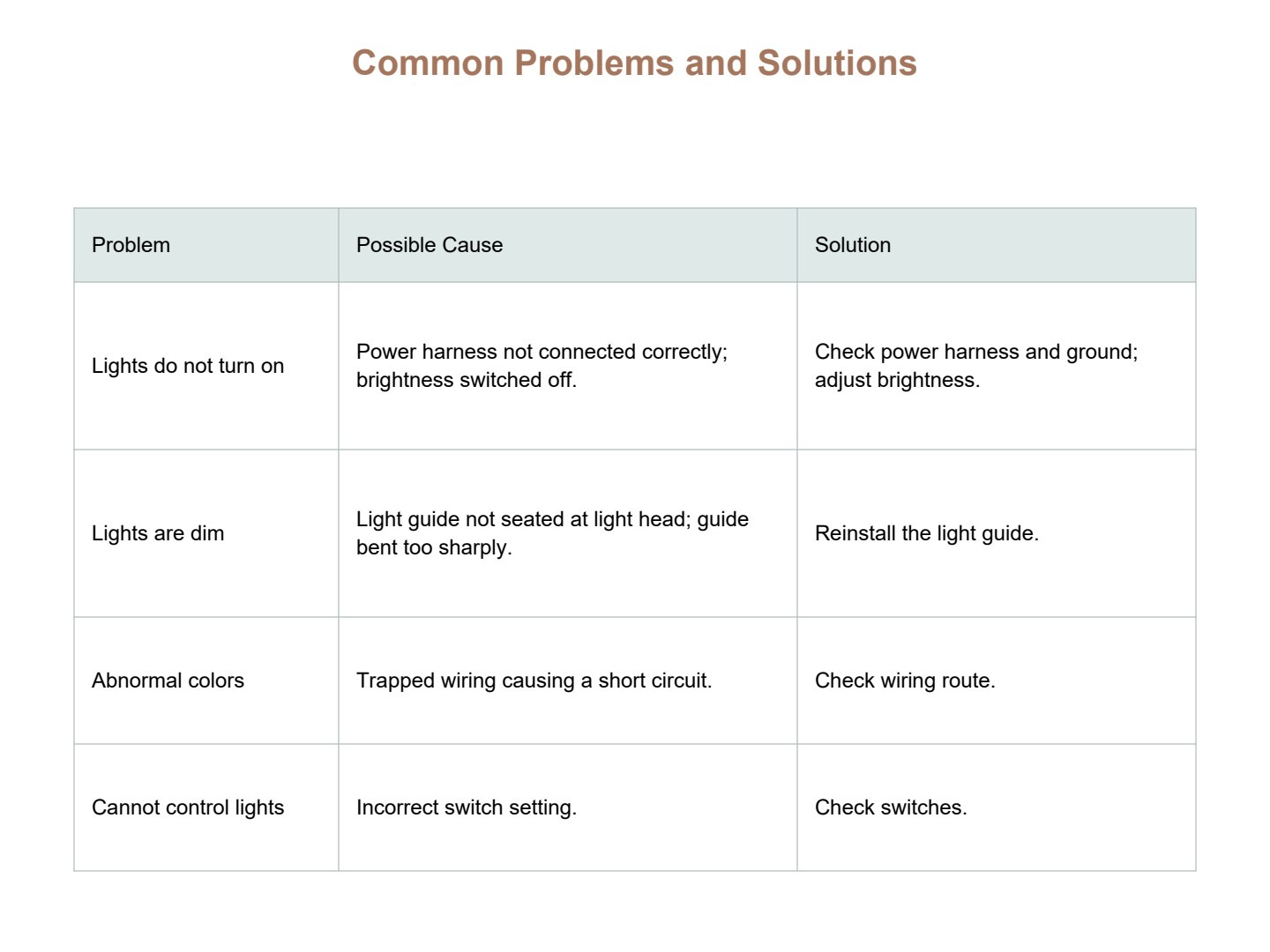
| Problem | Possible cause | Solution |
|---|---|---|
| Lights do not turn on | 1. Power harness is not connected correctly. 2. Brightness is switched off. |
1. Check the power harness and ground wire. 2. Adjust the brightness. |
| Lights are dim | 1. The light guide is not installed all the way to the light head. 2. The light guide is bent too sharply. |
Reinstall the light guide. |
| Abnormal colors | Trapped wiring causing a short circuit. | Check the wiring route. |
| Lights cannot be controlled | Incorrect switch setting. | Check the switches. |