The Volkswagen Golf 7 GTI MK7 and MK7.5 remain some of the most modified hot hatch models worldwide, and one of the most searched upgrades is the Golf 7 interior ambient light system.
If you are planning a Golf 7 interior upgrade or looking for a complete Golf 7.5 interior lights installation guide, this step-by-step tutorial is designed for you.
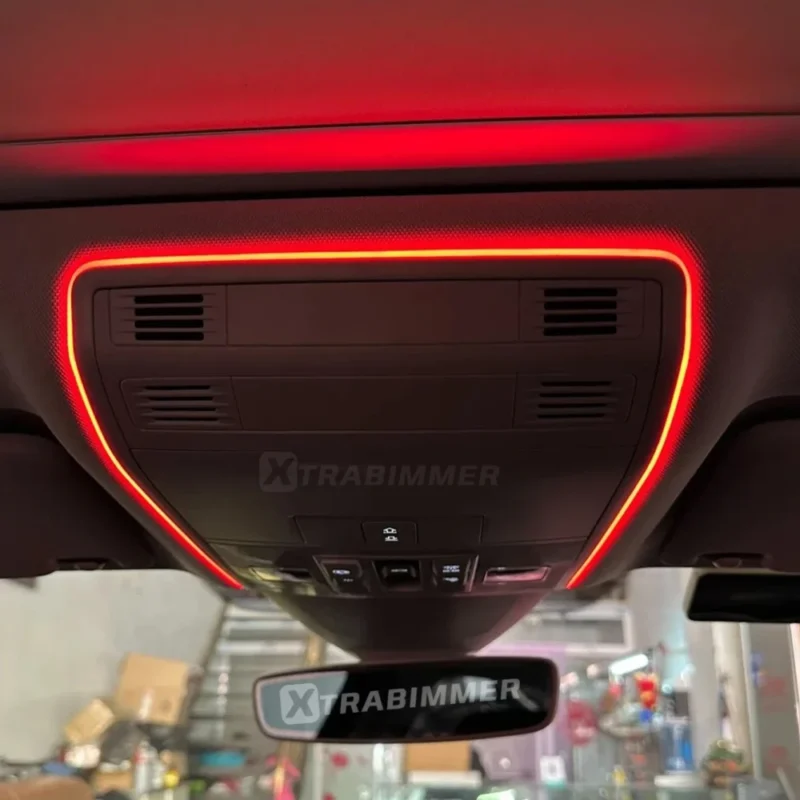
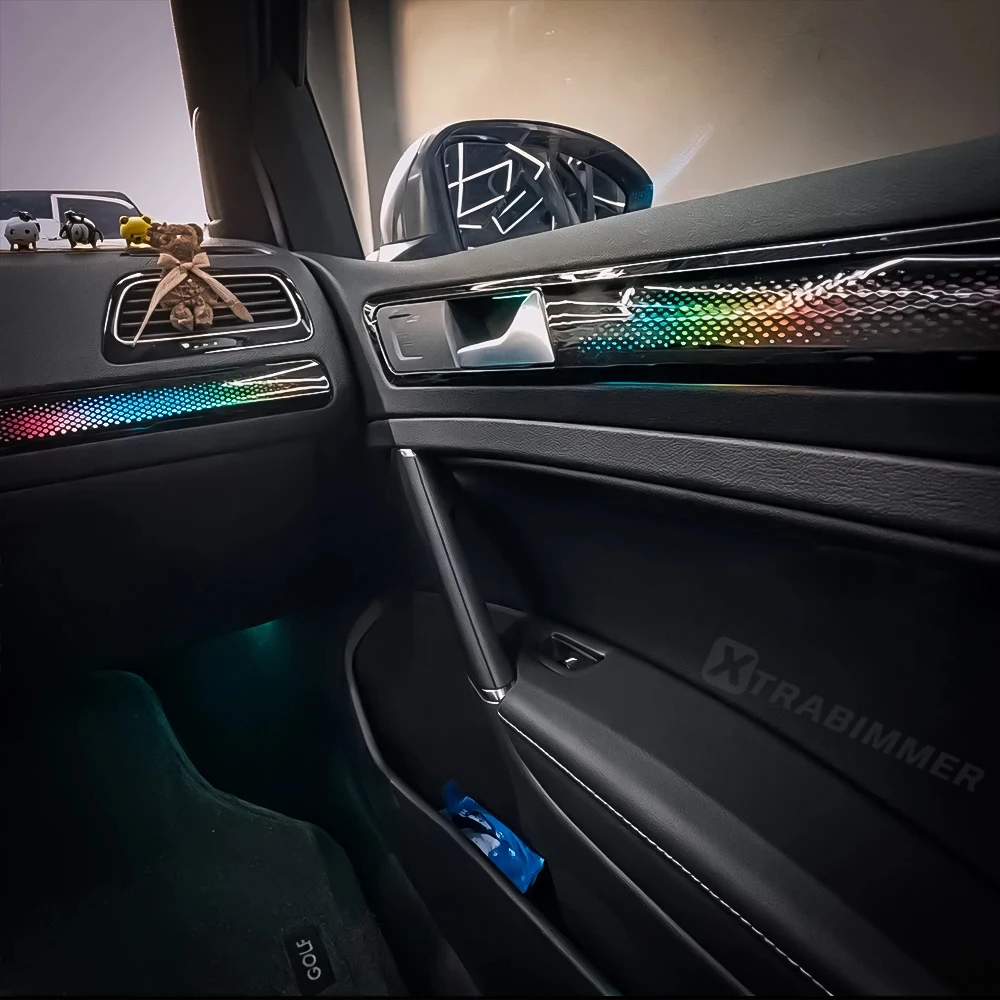
Installing a Dynamic Ambient Light kit for Golf 7 GTI MK7 MK7.5 significantly enhances the cabin atmosphere, giving your vehicle a premium OEM-style lighting effect similar to newer generation models.
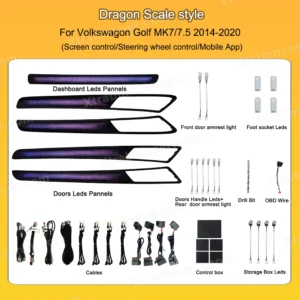
From dashboard light strips to door panel ambient lighting, this Golf 7 interior lights retrofit transforms the factory interior into a fully customizable RGB environment.
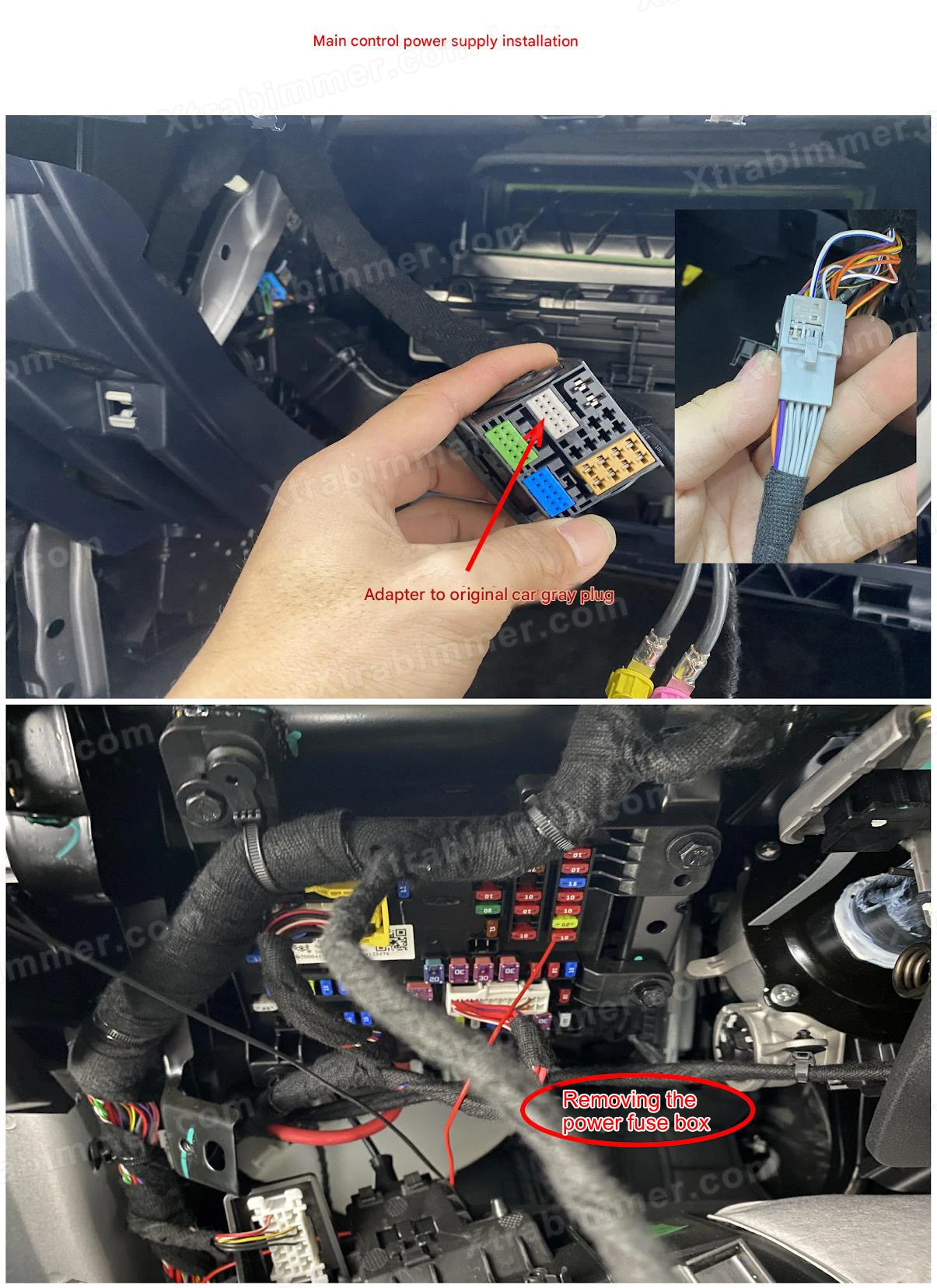
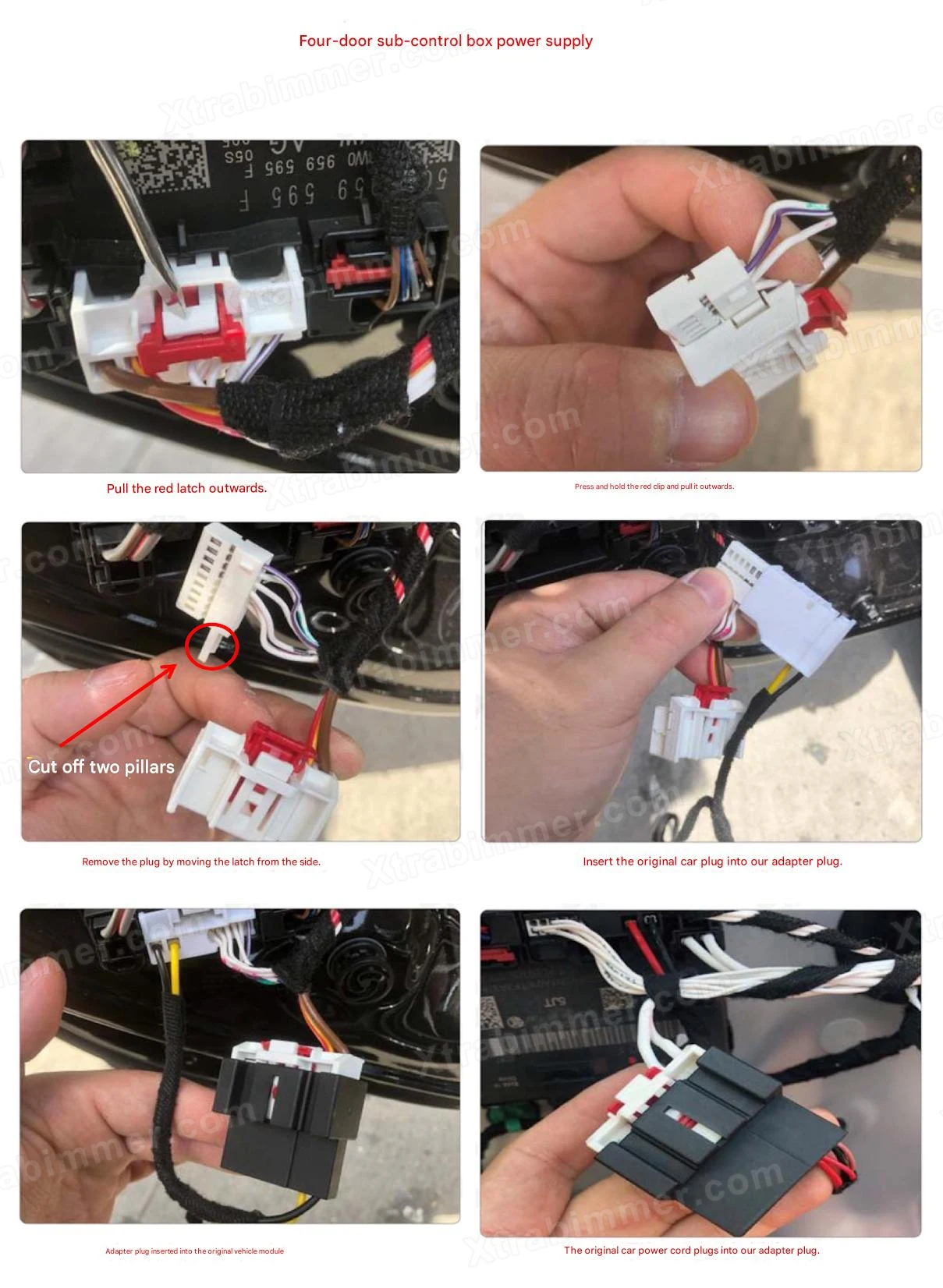
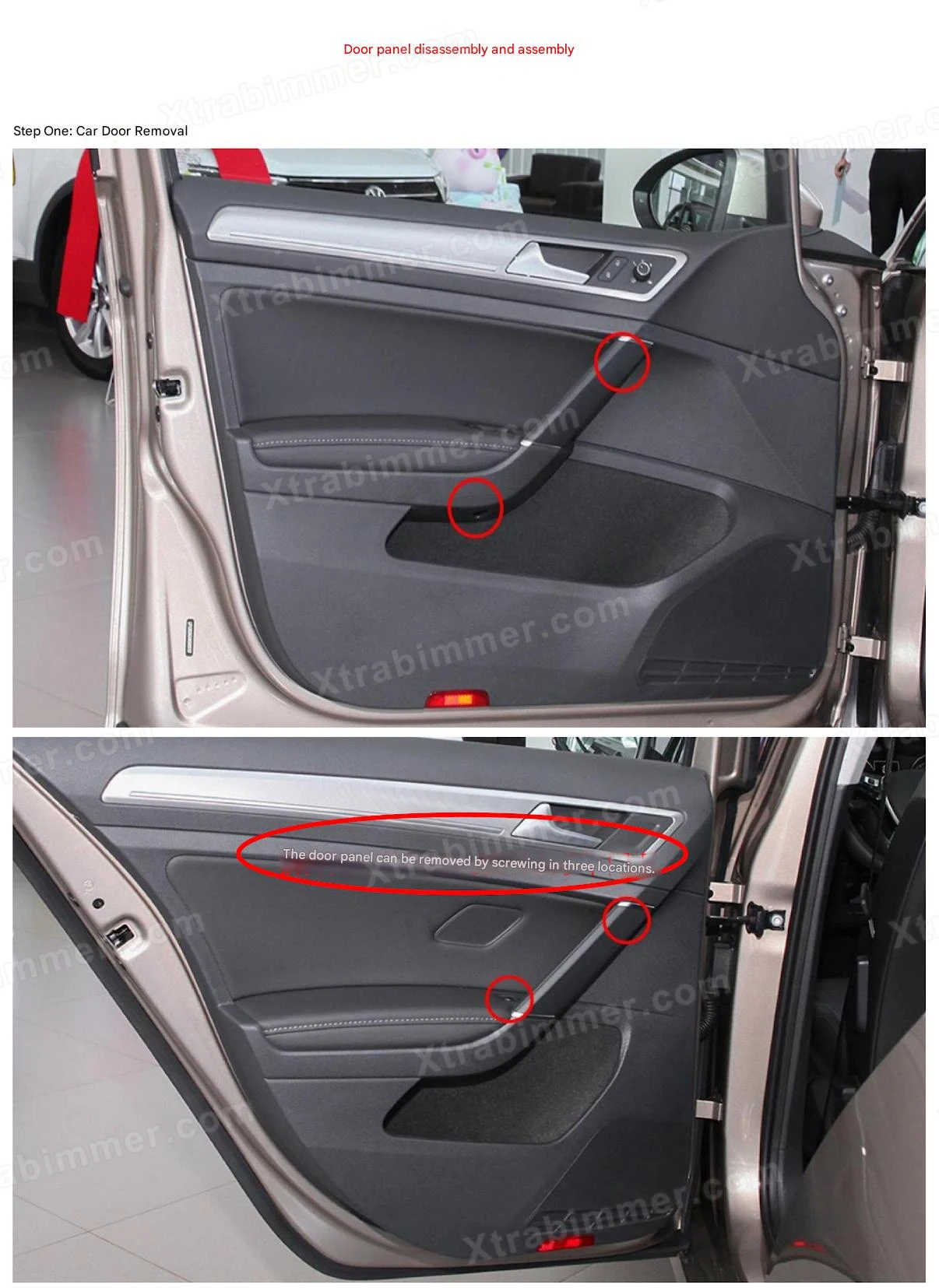
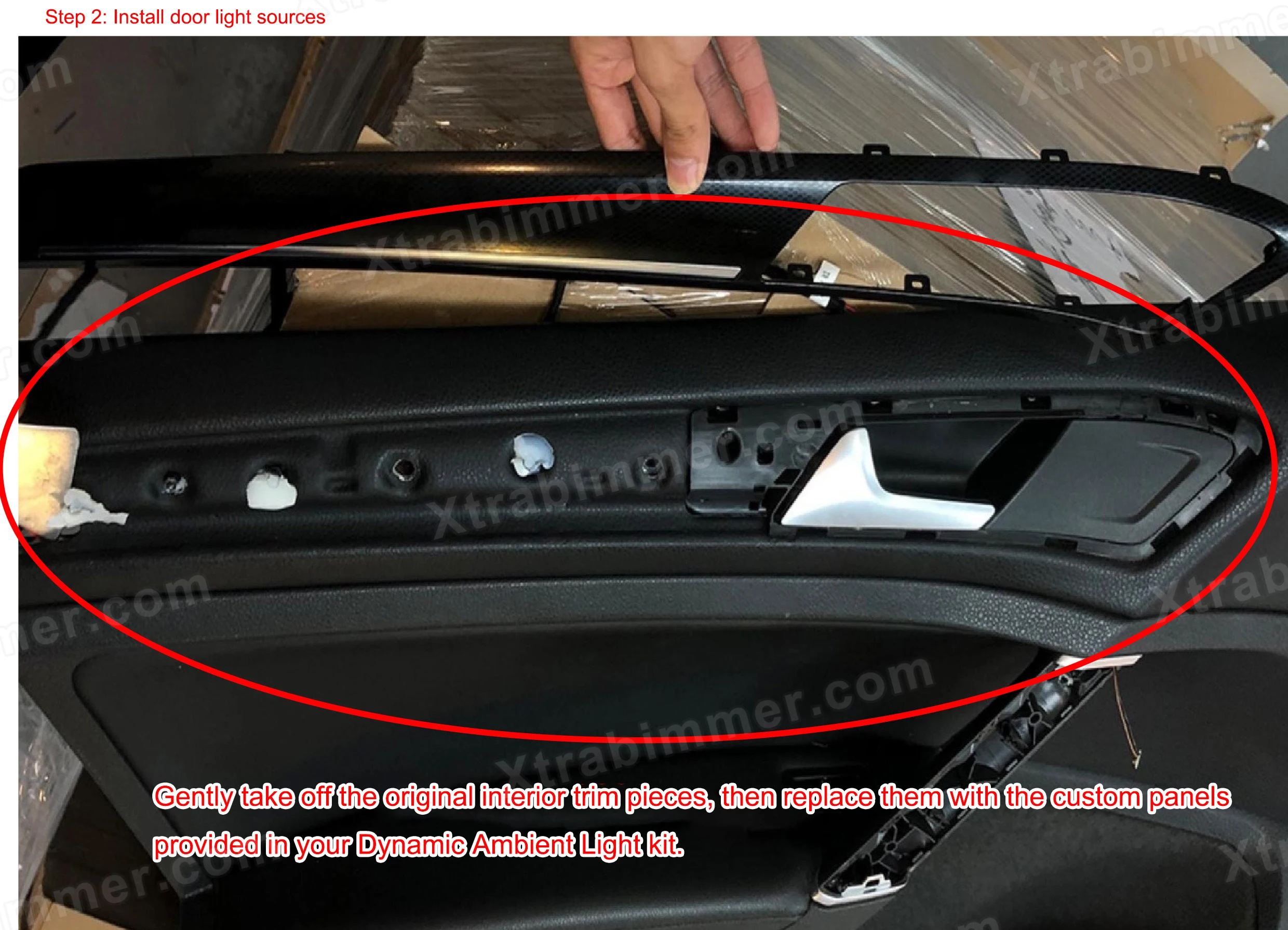
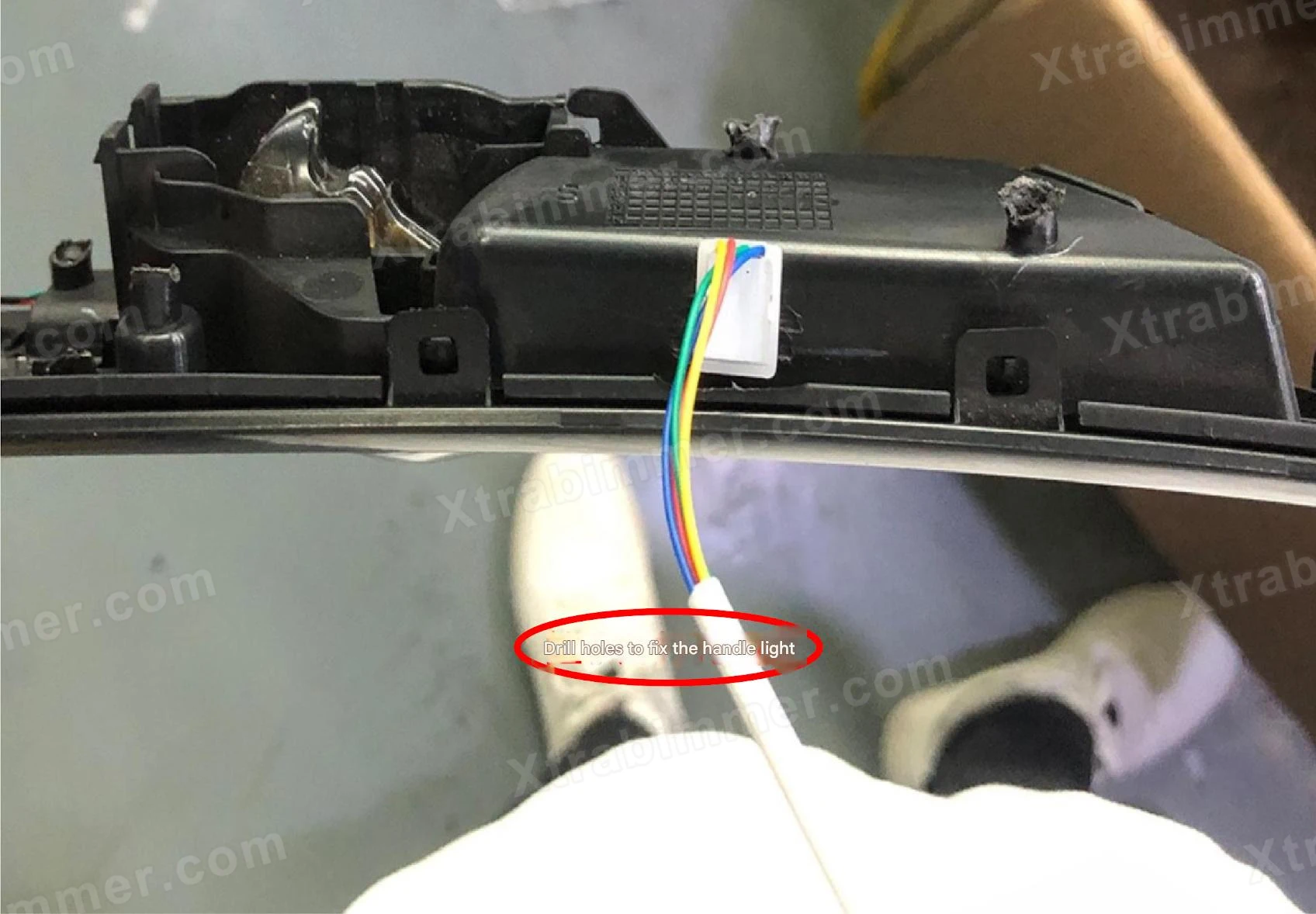
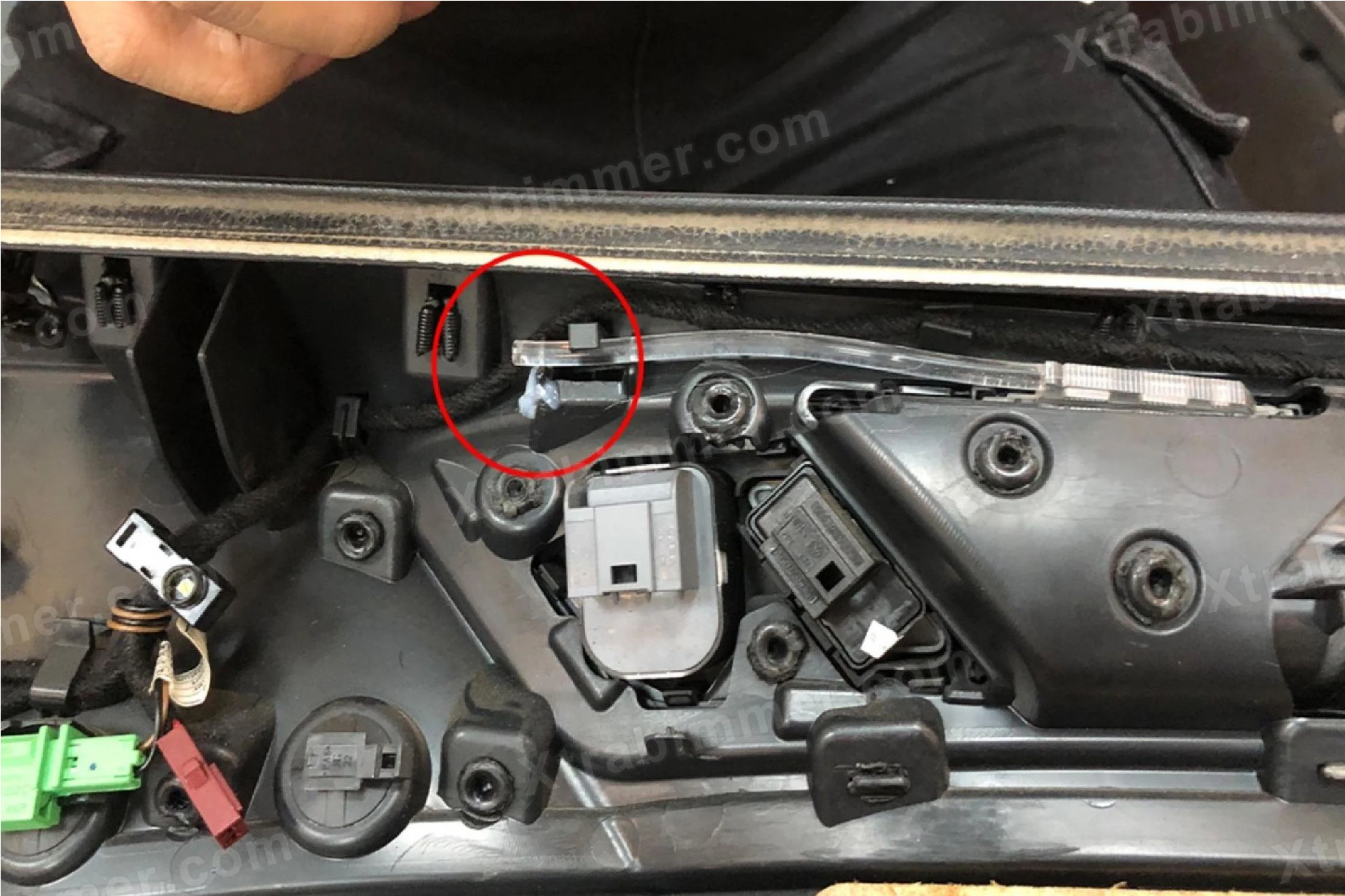
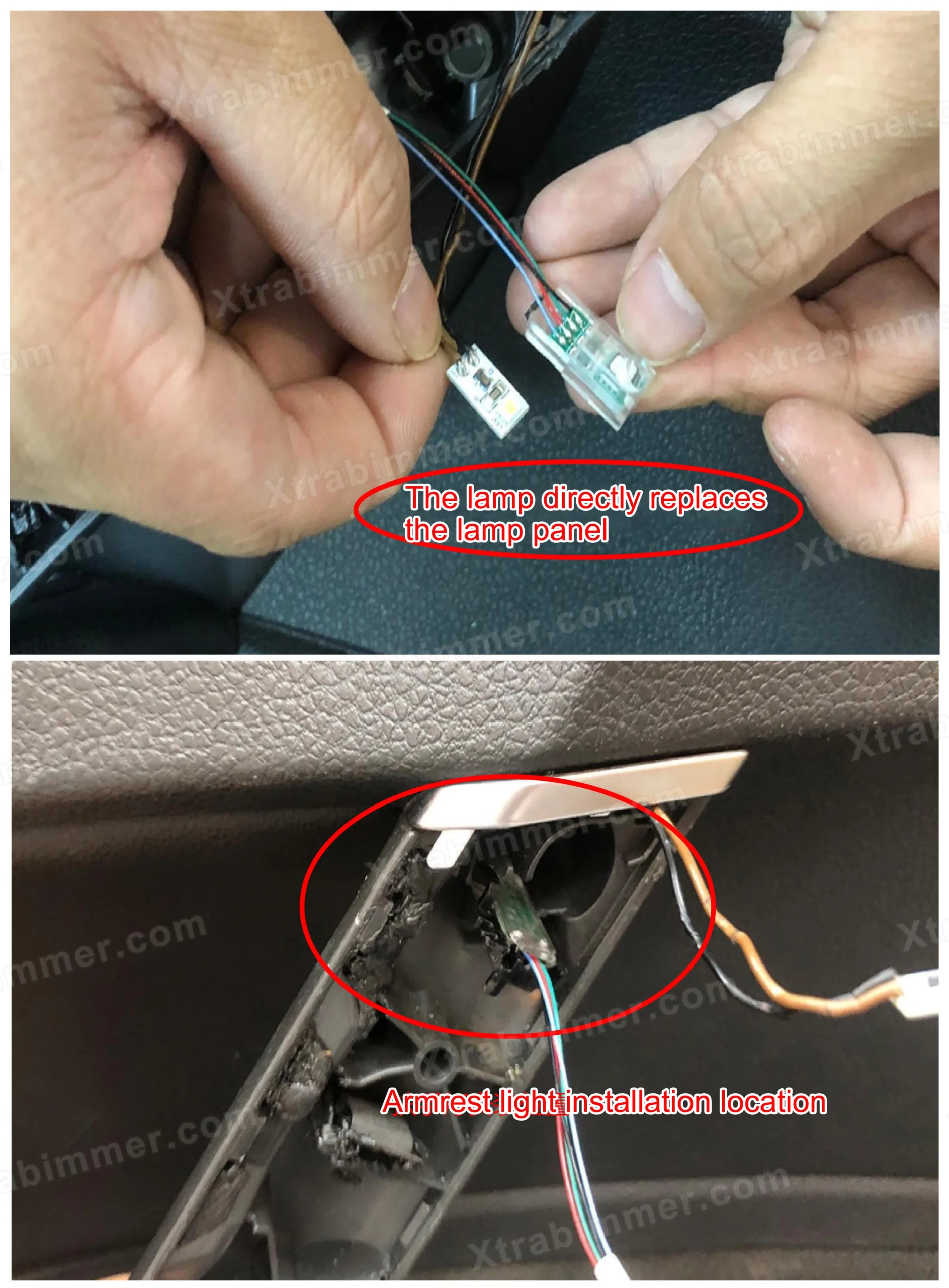
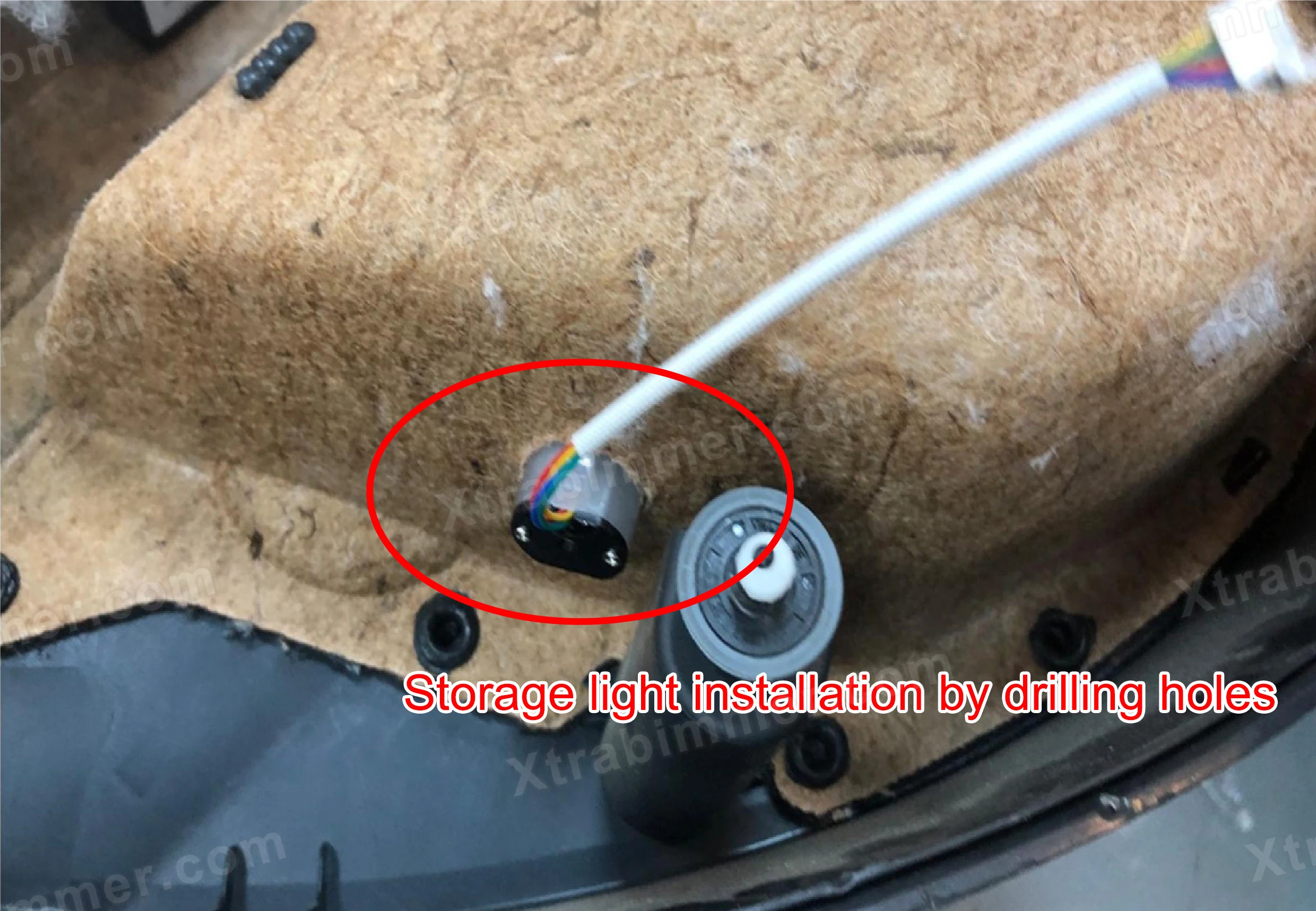
In this detailed Golf 7 GTI ambient light installation guide, we will cover trim removal, wiring connections, module integration, and system testing.
Whether you are upgrading a Golf 7 GTI interior or completing a full MK7.5 interior lighting upgrade, this tutorial will help ensure a clean, professional installation.
If you searched for:
You are in the right place.
Before installing your Dynamic Ambient Light For Volkswagen Golf 7 GTI MK7 MK7.5 kits (available here:
purchase the kit
), make sure you have all the necessary tools ready. Having the right tools ensures a smooth and professional installation of your Golf 7 or Golf 7.5 interior lighting upgrade.
Preparing all these tools in advance will make the installation of your Dynamic Ambient Light For Volkswagen Golf 7 GTI MK7 MK7.5 kits faster, safer, and more professional.
This section explains how to identify and resolve common issues related to the main control box and secondary control boxes.
If the protocol is not functioning correctly, the indicator light on the main control box will flash three times repeatedly in a rhythmic pattern.
Please check wiring connections and protocol settings.
If the system is operating correctly, the indicator light on the main control box will flash continuously at a normal speed.
If the indicator light flashes slowly, this usually indicates that the software upgrade was not successful.
Please restart the system and repeat the upgrade process.
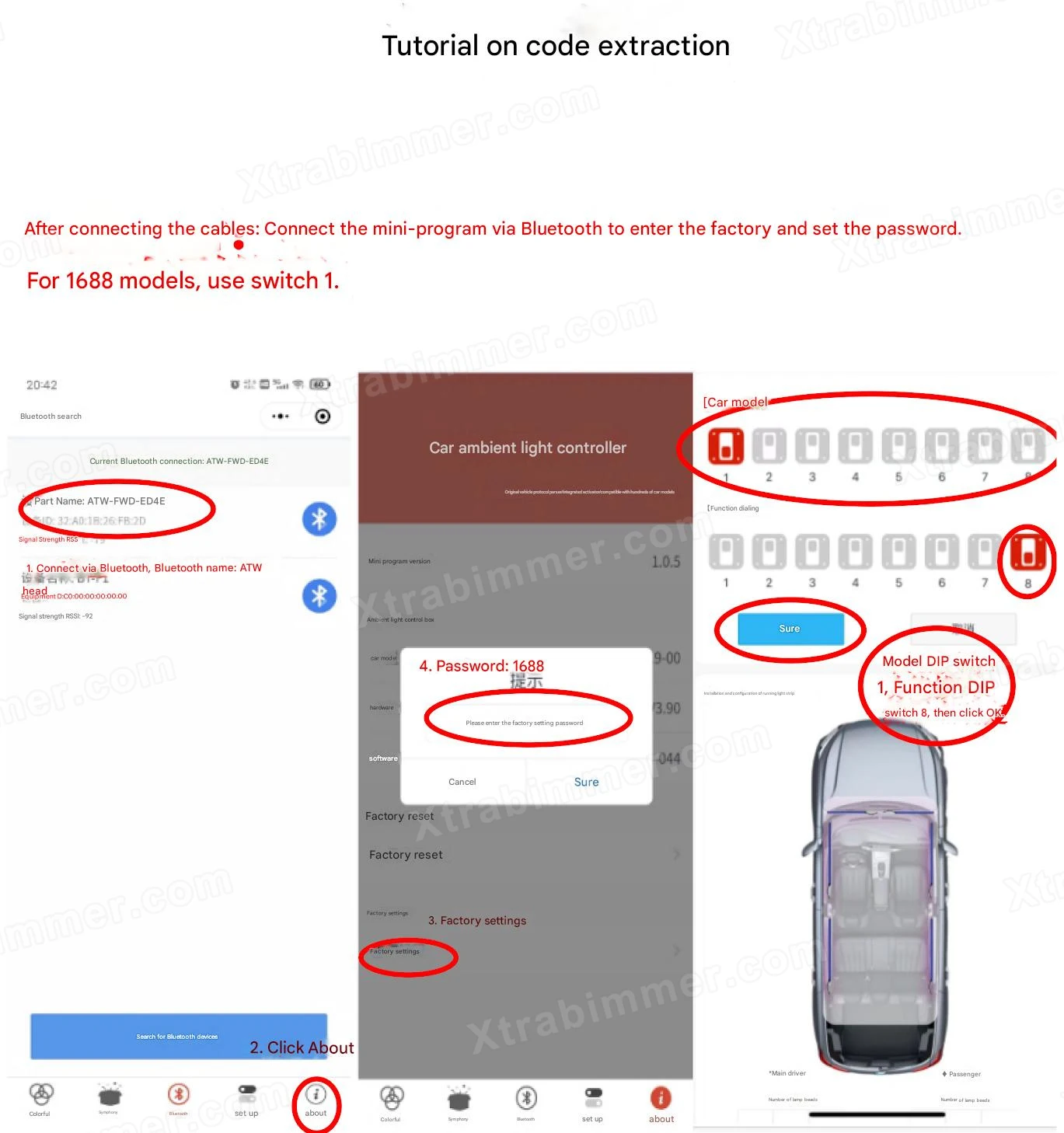
If one or more secondary control boxes remain off even though power is confirmed, they need to be paired (coded) with the main control unit.
There are two pairing methods available:
Open the Mini Program or APP.
Go to: About → Factory Settings
Enter password: 1688
Select Function Dial Code
Press number 1 to confirm.
Once successful, the system will indicate that coding has been completed.
Use a SIM card ejector tool (or similar thin pin).
Press and hold the pinhole button on the secondary control box.
Hold for more than 3 seconds.
The individual secondary control box will complete coding automatically.
Possible Causes:
Power cable is not properly connected
Ground wire is loose
Brightness setting is turned off
Solution:
Check and secure the power and ground wiring
Adjust brightness settings in the control system
Possible Causes:
Light guide strip is not properly positioned at the lamp head
Light guide strip is bent too sharply
Solution:
Reinstall the light guide strip correctly
Avoid excessive bending during installation
Possible Cause:
Short circuit due to pinched or damaged wiring
Solution:
Inspect and correct all wiring connections
Possible Cause:
Incorrect switch or control setting
Solution:
Verify the correct control switch and system configuration
Congratulations! Your Dynamic Ambient Light for Volkswagen Golf 7 GTI MK7 MK7.5 kits are now successfully installed. After completing the installation, check that all lights are functioning correctly, the brightness is adjusted to your preference, and all secondary control boxes are properly paired with the main unit.
With your Golf 7 interior upgraded with dynamic ambient lighting, you now enjoy a modern, premium cabin atmosphere that enhances both style and driving experience.