






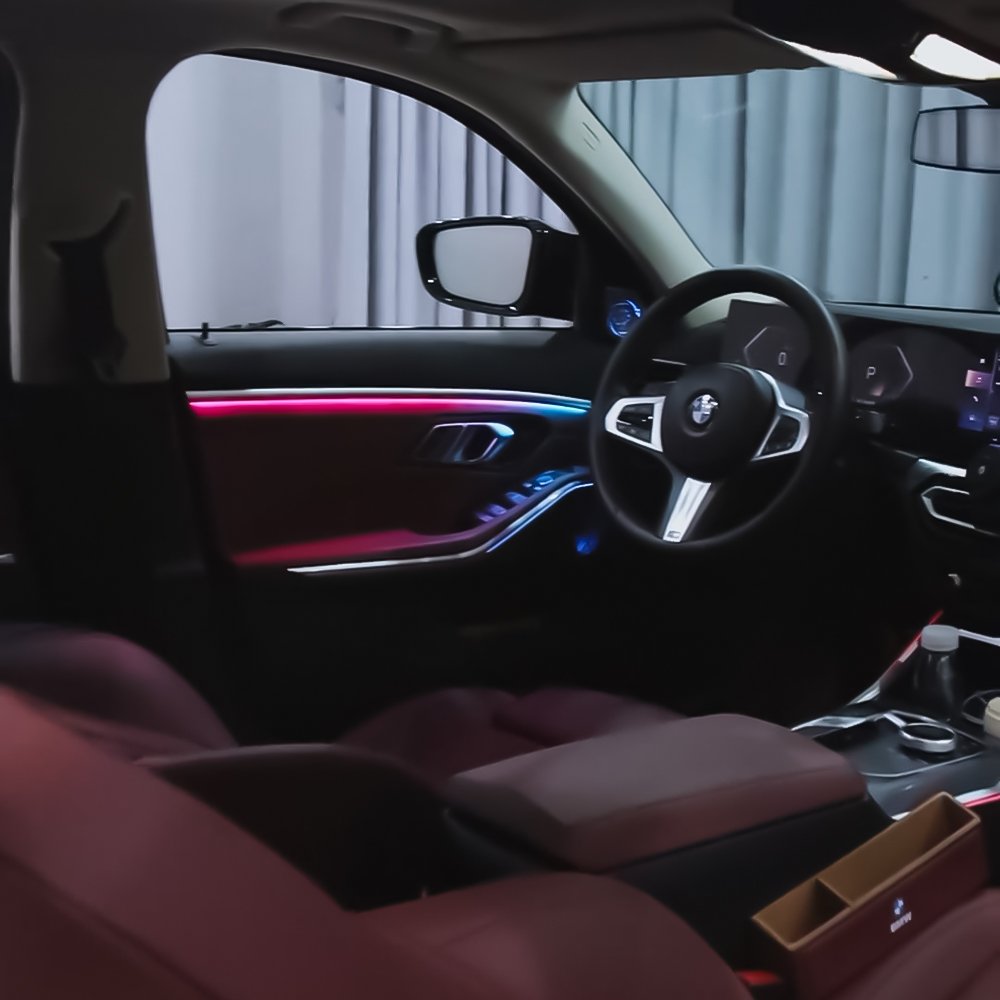
If you are like me and feel that the standard interior of the BMW 3 Series G20 needs a bit more personality, this upgrade is a game-changer. I recently replaced my basic setup with an OEM-design 11-color ambient light system, and the result is stunning.
Before we dive in, a quick heads-up: this project does require coding to activate the ambient light menu. Once coded, you can control everything through the original iDrive system. I even discovered a "Breathing Mode"—if you select white in the menu, it cycles through 30 colors automatically!
Here is how I got it done, step by step.
This installation guide is specifically designed for the BMW G20 platform. It applies to all seventh-generation 3 Series sedan models, including:
BMW G20 3 Series Sedan (2019–Present)
320i / 320d
330i / 330e
M340i / M340i xDrive
G28 (Long Wheelbase version)
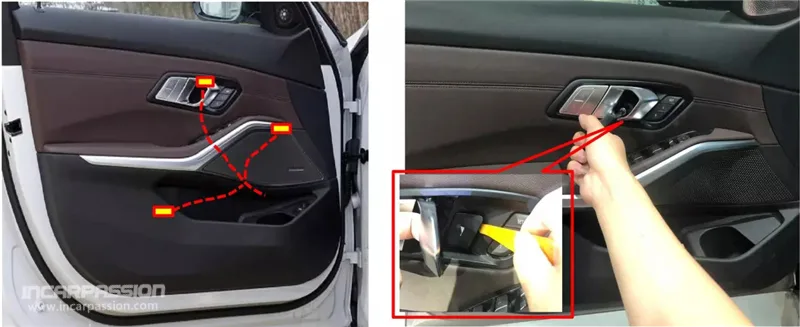
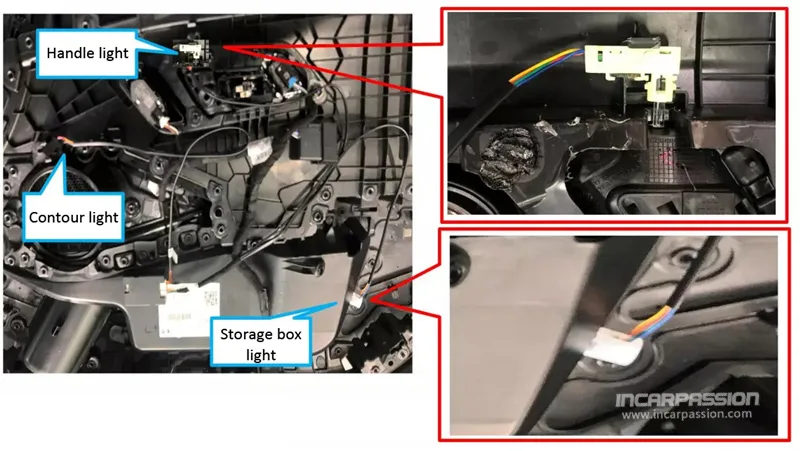
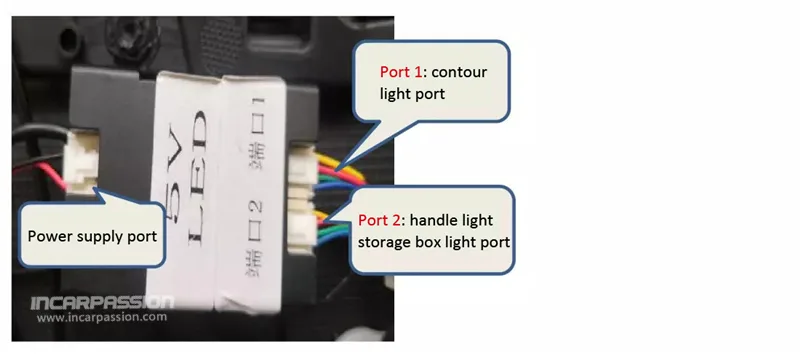
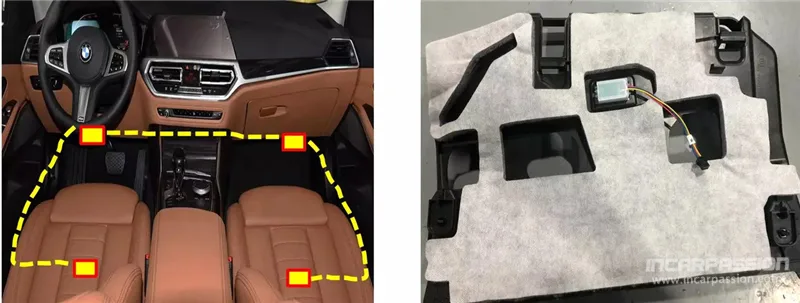
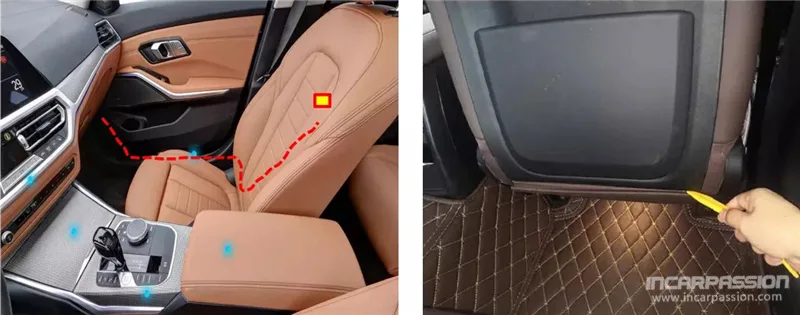
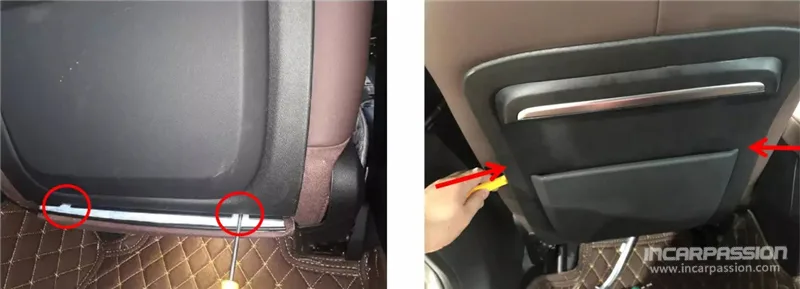
Finding the Spots: I started by identifying the positions for the light diodes. Each door needs a handle light, a contour light, and a storage box light.
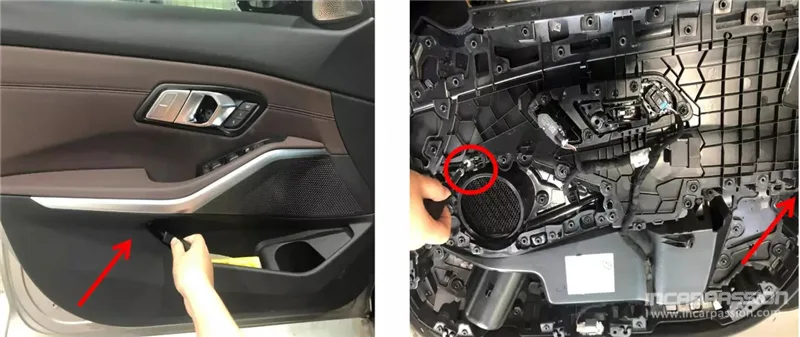
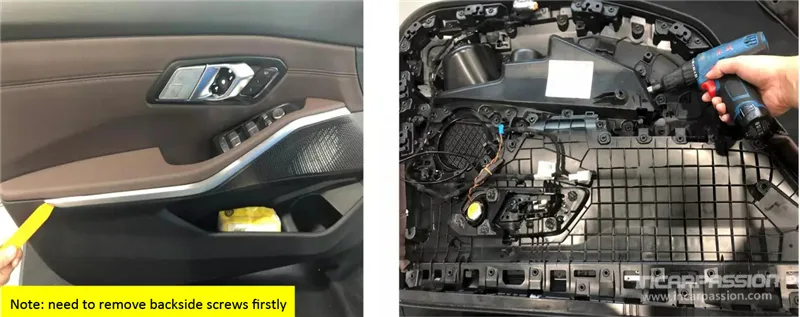
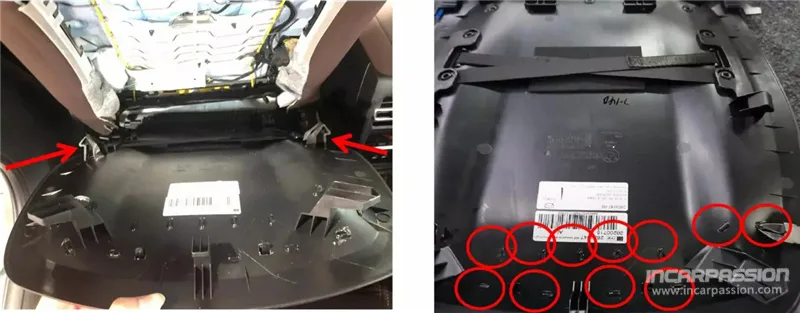
Taking Doors Apart: I pulled out the handle cover to access the hidden screws. After unscrewing them, I carefully pried out the entire door panel.
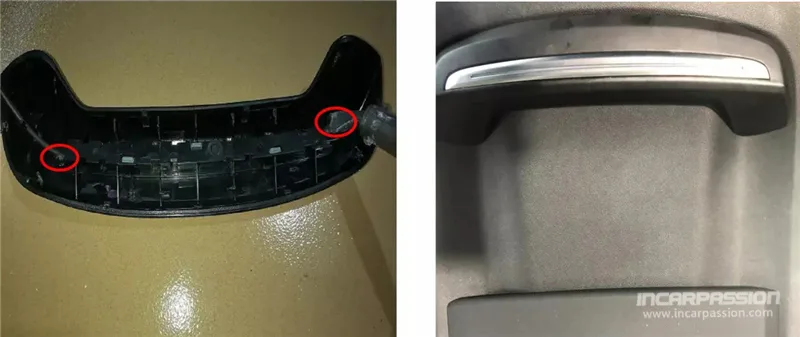
Swapping Trims: I removed the two screws holding the original door trim, pried it out, and replaced it with the new light-integrated trim from the kit.
Drill Work: To install the storage box light, I used a 15mm screwdriver/drill bit to create a hole at the proper position behind the pocket.
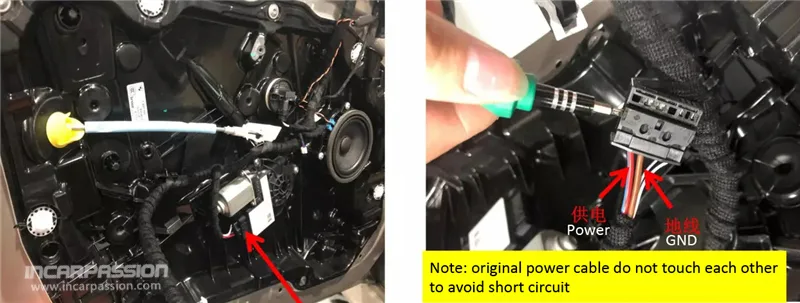
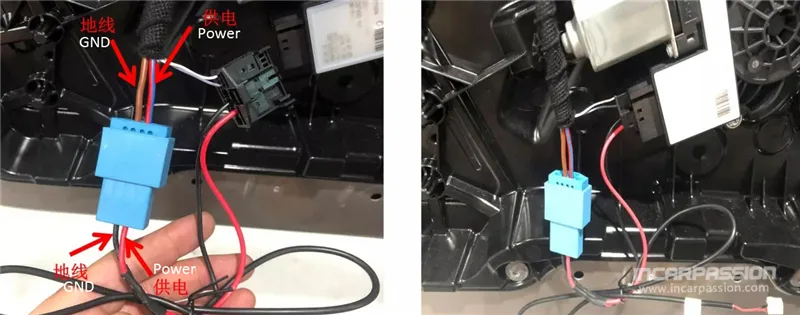
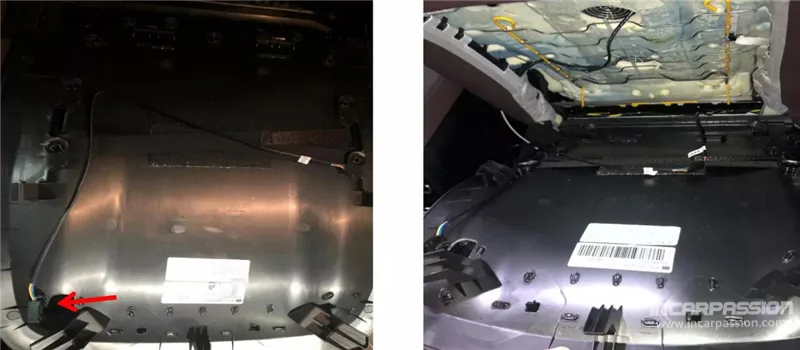
Wiring the Power: I converted the power cable to the original door motor socket. Pro tip: I took a photo of the original cable positions before pulling out the GND and power cables just to be safe. Once converted, I plugged it all back into the original position.
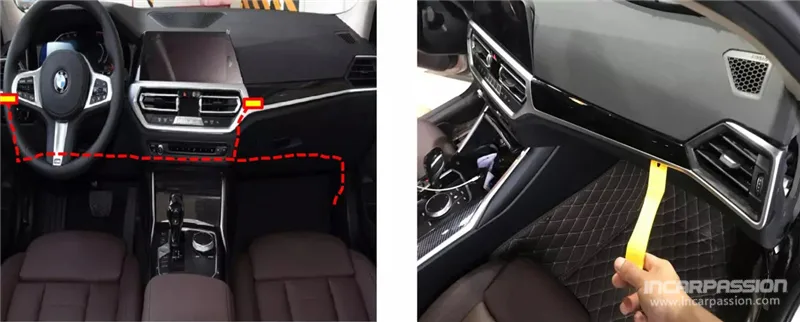
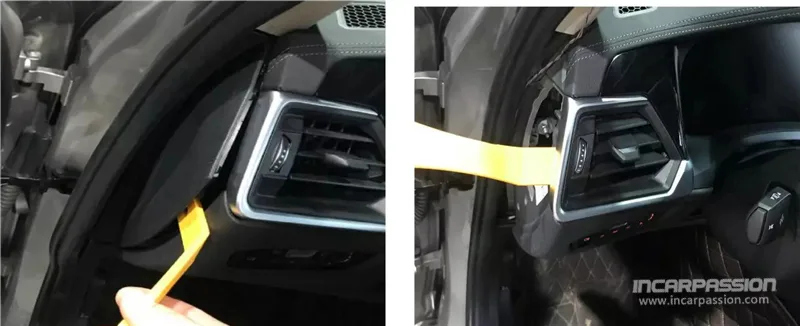
Dismantling the Dash: I pried out the main dashboard panel, the left-side decoration board, and the air vent assembly.
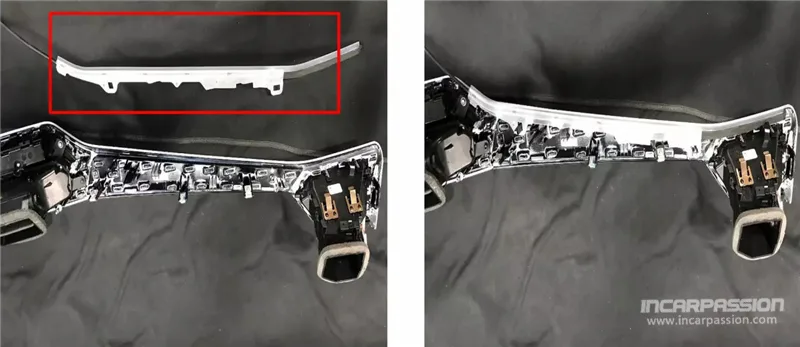
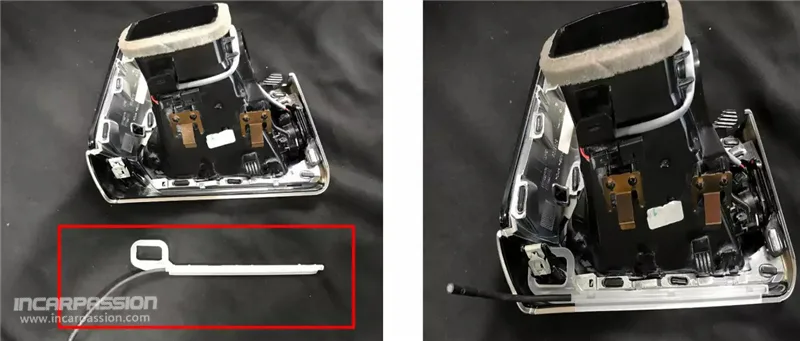
Installing Tubes: I took the passenger-side light tube and secured it to the original dashboard trim. I did the same for the driver-side tube, attaching it to the air vent trim.
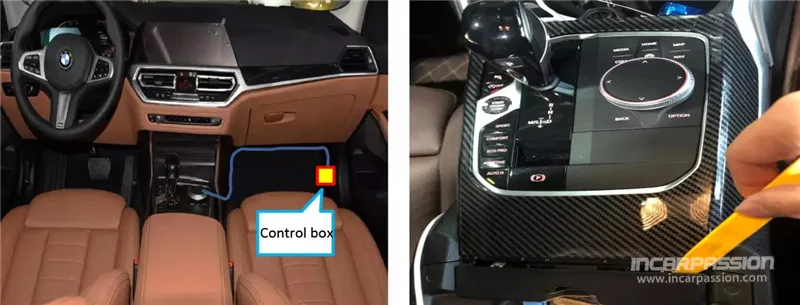
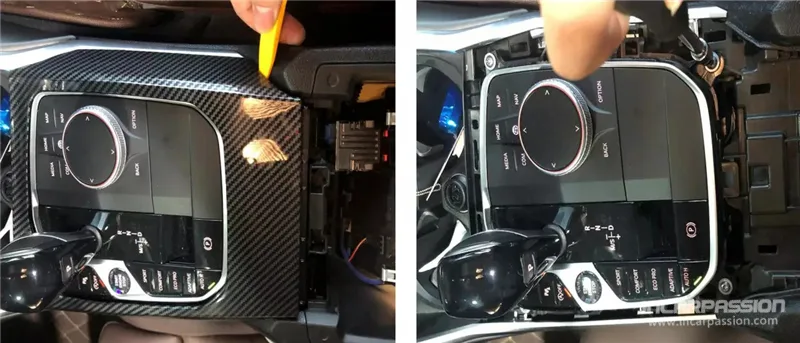
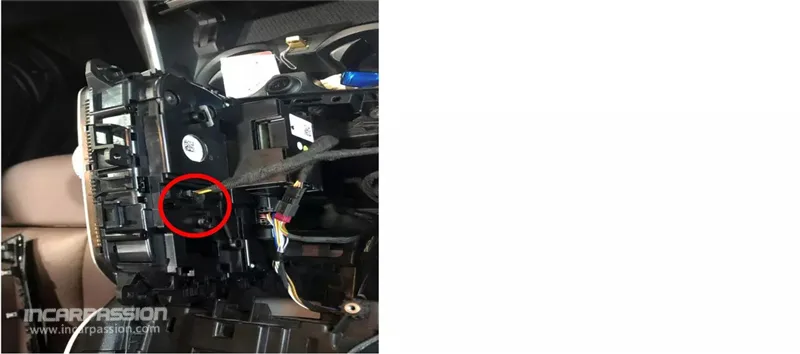
Powering the Brain: The control box for the dash lights gets its power from the iDrive knob. I pried out the center console panel, removed four screws to access the wiring, and used the provided conversion cable to tap into the original knob socket.
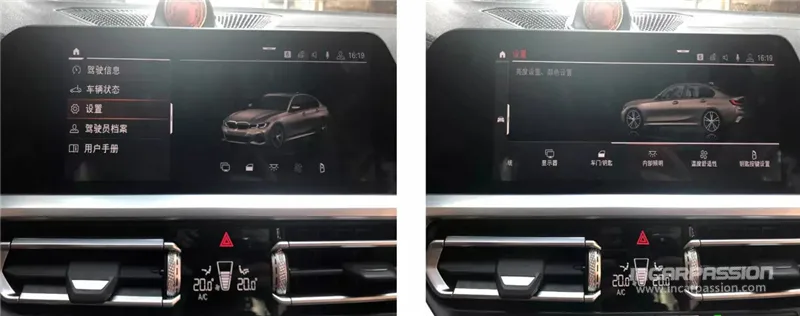
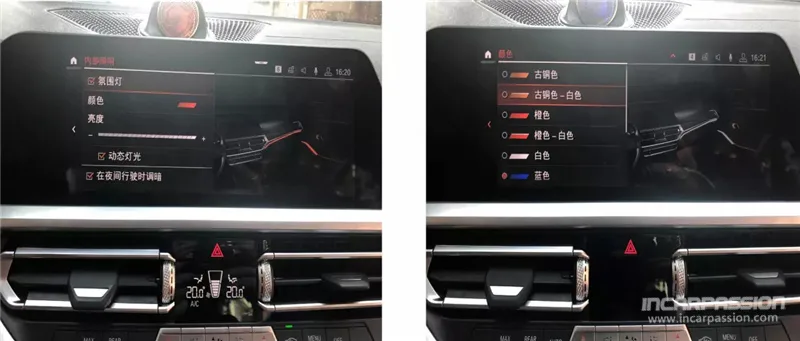
After I finished the physical installation and the coding, I went into the iDrive settings:
Navigate to Settings -> Interior Lighting.
Select Ambient Light and choose Color.
You should now see the original 11-color menu.
One cool safety feature I noticed: if I open a door, the ambient light in that area flashes red until I close it. It feels very high-end and integrated.
BMW G20 Ambient Light Installation, BMW 3 Series Interior Lighting Upgrade, G20 Ambient Light DIY Guide, BMW 11 Color Ambient Light Retrofit, BMW G20 Seatback Light Install, BMW G20 Dashboard Light Upgrade, BMW G20 330i M340i Interior Mods, BMW iDrive Ambient Light Coding, G20 Gear Saddle Light Tutorial, BMW G20 Fast Charging Dock Install.
WhatsApp us
 Audi LED Ambient Light
 BMW Ambient Light
 Landrover Ambient Light
 Mercedes Ambient Light
 Porsche Ambient Light
 BMW LED Speaker Cover
 Volkswagen