

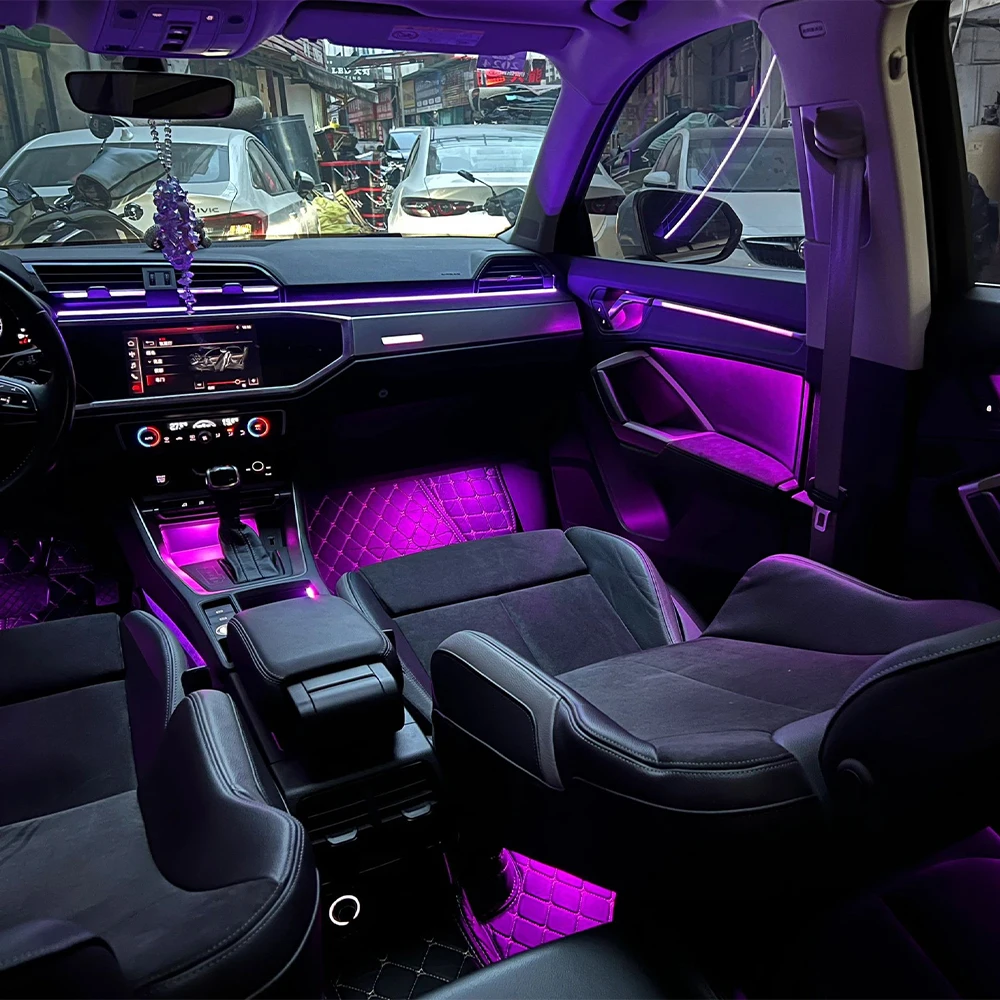
This ambient lighting kit upgrades the Audi Q3 (2019+) to a 32-color customizable ambient lighting system, including:
Dashboard light strips
Door lights and handles
Front and rear footwell lights
Door contour lights
Center console cup holder lights
Storage compartment lighting
In total, there are 22 individual light sources.
Plastic trim pry tools
Phillips and flathead screwdrivers
Thin prying tools
Small drill (if needed)
Electrical tape and zip ties
Anti-static gloves
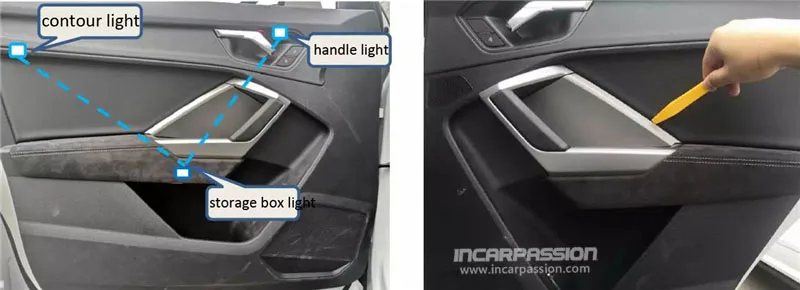
Gently pry off the door trim panels with a plastic tool.
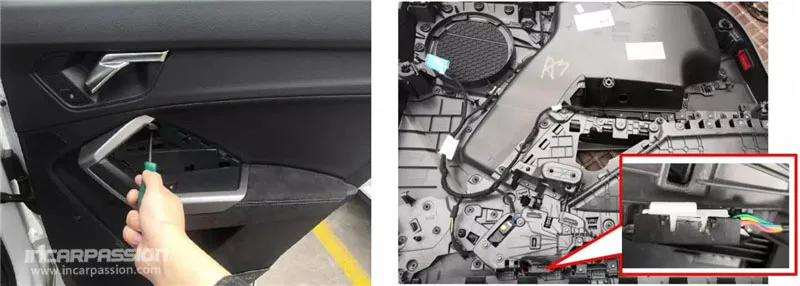
Remove screws securing the door panel and carefully take it off.
Insert the door handle lights into the original lamp slots and secure them.
Drill small holes where necessary to install storage compartment lights and door contour lights.
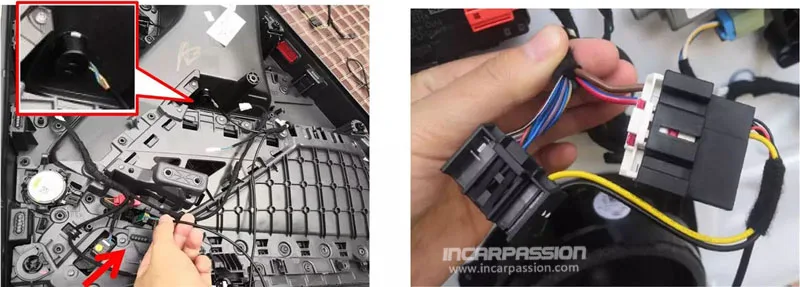
Connect the kit’s wiring harness to the car’s original connectors—only for power and ground; do not cut factory wires.
Verify connections, then reattach the door panel.
Remove the central saddle and cup holder trim.
Remove any screws in the original positions and install the corresponding light panels.
Secure the panels in place.
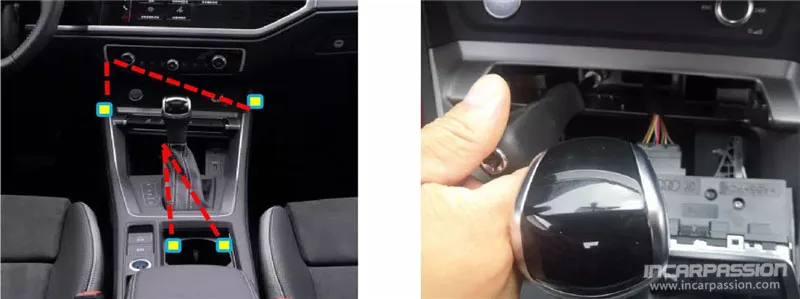
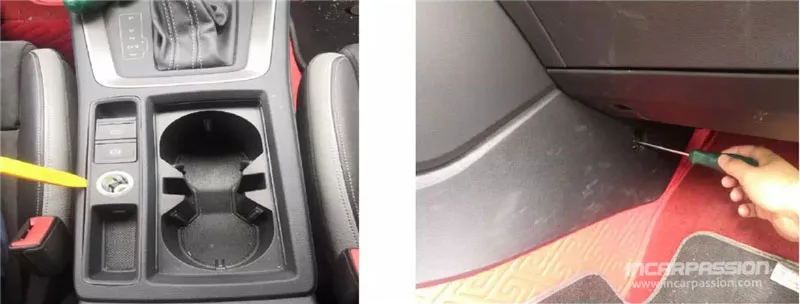
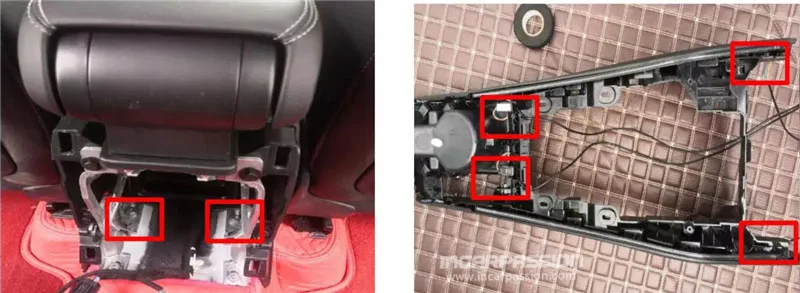
Footwell lights: Place the front and rear lights in the original positions and secure them.
Dashboard lights: Snap the light strips into the original slots and connect the plugs.
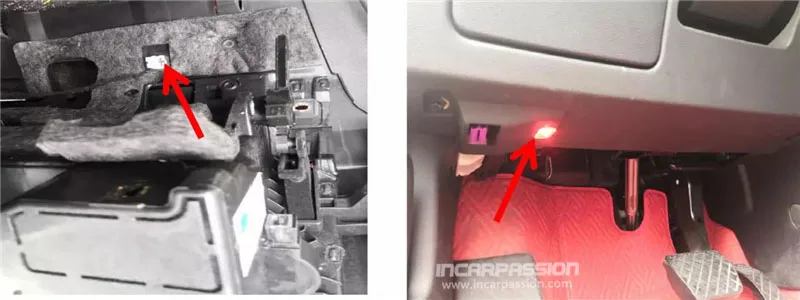

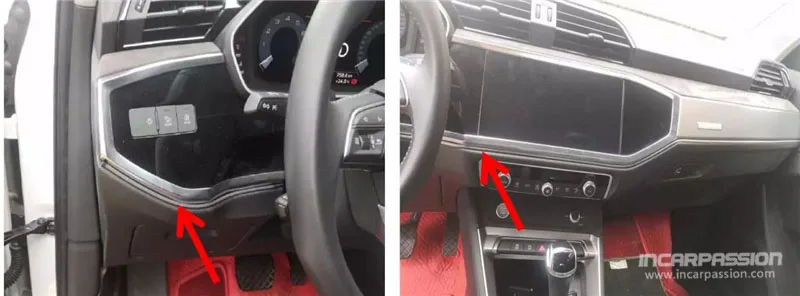
This step is critical. Incorrect wiring can prevent lights from powering or appearing in the menu.
Remove the glove box and locate the gray 12-pin connector. Replace it with the kit’s CAN adapter harness.
Connect the power wire to the BATT (constant 12V) position in the driver-side fuse box, and attach the ground wire to a secure chassis point.
Double-check all connections before reinstalling the glove box.
Tip: Use a multimeter to confirm proper wiring before powering up the system.
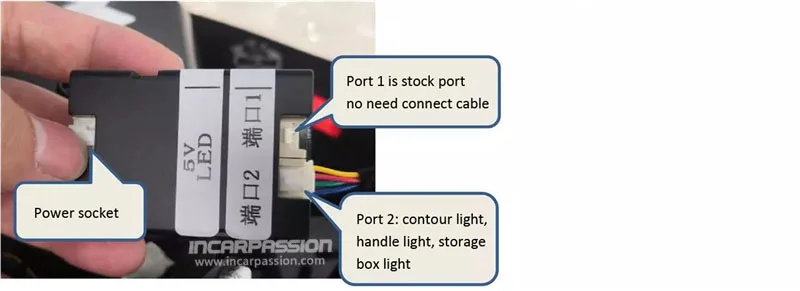
Each port on the ambient light control box is labeled for its corresponding light group (door lights, footwell lights, contour lights, etc.). Insert the cables into the correct ports.

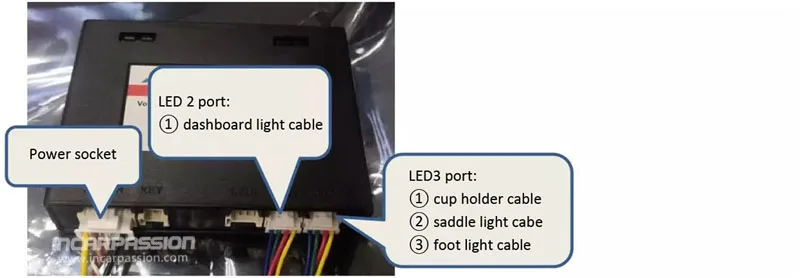
Once installed:
Start the car.
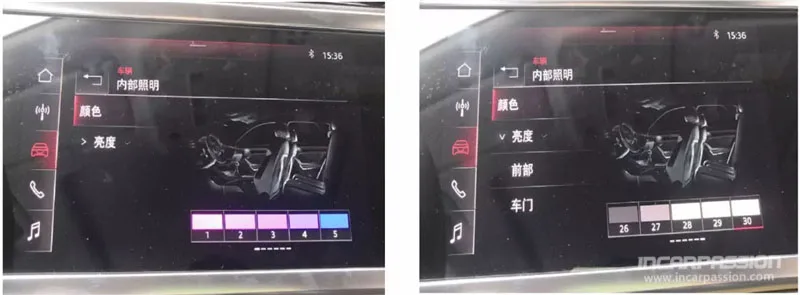
Go to MMI Menu → Interior Lighting → Color to select your preferred colors and effects.
For “Breathing Mode” (cycle effect), select the last white color (#30) and wait ~40 seconds. The system will automatically start the color cycle.
WhatsApp us

 Audi LED Ambient Light
 BMW Ambient Light
 Landrover Ambient Light
 Mercedes Ambient Light
 Porsche Ambient Light
 BMW LED Speaker Cover
 Volkswagen